Best Practices for Color Accuracy and Print Quality in UV Printing

Best Practices for Color Accuracy and Print Quality in UV Printing
In the rapidly evolving world of digital printing, UV printing has established itself as a versatile and high-quality solution for various applications, from custom phone cases to promotional items. Achieving optimal color accuracy and top-notch print quality are crucial for delivering professional results that meet client expectations. Whether you're a seasoned print shop owner or a new entrant to UV technology, understanding and implementing best practices can make a significant difference in your output. This article explores essential strategies to enhance color fidelity and ensure high-quality UV prints that stand out in the marketplace.
One of the foundational aspects of UV printing is proper color management. Accurate color reproduction depends on a well-calibrated system that considers your monitor, printer, and substrates. Start by calibrating your color devices regularly using professional calibration tools. This process ensures that what you see on your screen closely matches the printed result, reducing discrepancies and reprints. When preparing your designs, work within a standardized color space, such as Adobe RGB or sRGB, and utilize ICC profiles tailored for UV printing. These profiles help translate color data correctly from digital files to physical prints.

Choosing the right substrates also plays a vital role in achieving vibrant and accurate colors. UV printers can print on a wide range of materials, including plastics, glass, metal, and wood. Each substrate has unique properties that can influence color accuracy and adhesion. For best results, select high-quality materials with smooth, clean surfaces free of dust or oil. Proper surface preparation, like cleaning with isopropyl alcohol, enhances ink adhesion and minimizes inconsistencies. When printing on curved or textured surfaces, consider the geometry and adjust settings accordingly to prevent color distortion or uneven layers.
Optimizing printer settings is another critical practice. Fine-tune parameters such as curing intensity, print speed, and ink density for each substrate type. Many UV printers allow you to save profiles for quick adjustments, streamlining your workflow. Slower print speeds often result in denser ink laydowns, which can improve color vibrancy but may increase production time. Conversely, faster speeds might compromise quality but enhance efficiency. Striking the right balance depends on your project requirements. Implementing multi-pass printing—applying several light layers—can improve color richness and detail without over-saturating the substrate. Regular test prints help identify the ideal settings, maintaining consistency across different batches.
Monitoring and maintaining your UV printer is essential for consistent quality. Regular cleaning of the printheads prevents clogging and ensures even ink distribution, directly impacting color precision. Many models feature automatic cleaning cycles; if yours does not, establish a routine manual cleaning schedule. Additionally, check for nozzle health and replace worn-out parts promptly. Maintaining optimal environmental conditions—temperature, humidity, and dust control—also contributes to stable print quality. A clean, controlled environment minimizes issues like ink scatter or color shifts. Implementing a quality control process, including visual inspection and color measurement devices such as spectrophotometers, helps verify that each print meets your standards.
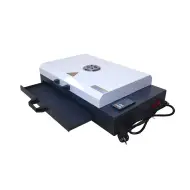
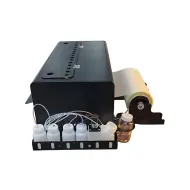
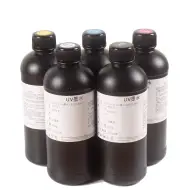
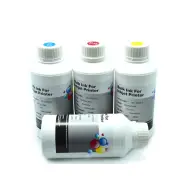
In the realm of UV printing, ink formulation and storage are often overlooked but are significant factors influencing color accuracy. Use inks that are formulated specifically for UV applications and are compatible with your printer model. Proper storage—away from direct sunlight and extreme temperatures—prevents ink degradation, which can cause color inconsistencies. When switching ink batches or colors, perform test prints to calibrate and adjust printer settings if necessary. Consistent ink supply and handling maintain the integrity of color reproduction over time. For detailed information on suitable equipment and consumables, explore options like the UV printer solutions available here.
Post-processing techniques can also enhance overall print quality. Applying a clear coat or gloss finish improves surface durability and color vibrancy. When using a UV printer for high-end applications, consider additional steps such as polishing or lamination to achieve a smooth, professional appearance. Proper curing is essential; ensure that the UV light exposure is sufficient to fully cure the ink, preventing smudging or fading over time. Many UV printers come equipped with multiple curing modes or inline curing systems to assist in this process. The combination of optimal curing and finishing results in vivid, durable prints that resist scratches and environmental factors.
Furthermore, ongoing training and staying current with technological advancements can significantly impact your ability to produce accurate and high-quality UV prints. Attend industry trade shows, participate in webinars, and connect with other professionals to learn new techniques and software updates. Many manufacturers frequently release firmware upgrades and software enhancements that improve color management and print stability. Investing in high-resolution printing profiles and color calibration tools is also worthwhile, especially for achieving consistent brand colors across various substrates. The more knowledgeable and prepared your team is, the better your output quality will be, setting you apart in a competitive market.
Finally, do not underestimate the value of client feedback and continuous improvement. Regularly solicit input from customers, noting any issues related to color fidelity or durability. Use this data to refine your processes, update profiles, and improve your training protocols. Remember, achieving excellence in UV printing is a blend of technology, skill, and meticulous attention to detail. By implementing these best practices, you'll ensure that your prints are not only visually stunning but also reliable and consistent, ultimately boosting customer satisfaction and your business reputation. For more insights and tools to enhance your UV printing capabilities, explore our comprehensive solutions at GNFEI"s UV printer options.
In summary, attaining perfect color accuracy and superior print quality in UV printing hinges on proper calibration, substrate selection, optimized settings, rigorous maintenance, and ongoing learning. Embracing these best practices will help your business deliver vibrant, durable, and precise prints that impress clients worldwide. Keep refining your process, stay updated with new technologies, and never compromise on quality. Your dedication to excellence in UV printing will lead to greater success and recognition in the competitive digital printing industry.
Advanced Technical Insights & Application Analysis
Achieving unparalleled color accuracy in UV printing is not just a technical requirement but an industry mandate, particularly when dealing with intricate photo printing applications. One of the defining innovations in this domain is the development of advanced inkjet inks tailored for high-resolution photo reproduction. These specialized inks, frequently enriched with optimized pigments and stabilizers, play a pivotal role in ensuring that the captured details and natural hues of photographic content are faithfully rendered. Combining these premium inks with consistent UV curing processes enables printers to maintain vibrant, non-fading colors over prolonged display periods, even under challenging environmental exposure.
Another critical factor is the strategic integration of spectral color measurement devices and automated calibration systems into modern UV printers. These tools enhance the importance of color accuracy in inkjet ink for photo printing, allowing for real-time adjustments during the printing process. This not only minimizes operational inefficiencies but also significantly reduces material and ink wastage. Moreover, enhanced UV curing systems equipped with adjustable wavelengths ensure precise control over curing intensity, facilitating faster turnaround while elevating print durability for both flatbed and cylindrical substrates used in industries ranging from promotional products to industrial design prototypes.
For businesses evaluating the B2B return on investment (ROI) of UV printing technology, the alignment of robust printer performance with tailored operational solutions is indispensable. Factors such as low ink consumption without sacrificing density, efficient energy use in UV lamps, and compatibility with numerous materials amplify the cost-effectiveness of adopting UV technology at a commercial scale. Comprehensive user training further bolsters operational efficiency, equipping teams with the necessary expertise to harness advanced features like multi-pass printing and ICC profile optimization for consistently superior outputs.
Frequently Asked Questions
- Q: How can I maintain consistent color accuracy across different print batches?
A: Regularly calibrate your printer and monitor, utilize ICC profiles, and perform test prints to ensure precision. Also, choose high-grade UV inks and substrates that are specifically formulated for consistent outputs.
- Q: What substrates work best for photo-quality UV prints?
A: Smooth, non-porous surfaces like acrylic, aluminum, and coated plastics typically deliver exceptional detail and vibrancy for photographic applications, provided they are clean and properly primed before printing.
- Q: Can UV printers handle high-volume production without sacrificing quality?
A: Yes, industrial-grade UV printers are designed for scalability, combining features such as automated curing systems and custom print profiles to deliver uniform quality at high production speeds.