Printhead Lifespan Secrets: Daily Maintenance Habits That Double the Life of Your UV Printer (The Essential Guide to Avoiding Costly Repairs)
Struggling to extend your UV printer's printhead lifespan? You"re not alone. Many operators neglect daily maintenance and pay the price with costly repairs and downtime. But what if I told you that simple, consistent habits can double the life of your printhead? Sounds too good to be true? Let"s dive into some proven tips to help you get the most out of your UV printer.
When I first started working with UV printers, I was surprised at how easy it was to overlook daily care routines. One day, my colleague and I noticed frequent printhead clogs and inconsistent print quality. Turns out, a few small habits could have prevented nearly all of those issues. That"s when I learned that the secret to a longer-lasting printhead isn"t magic — it"s routine maintenance and proper handling.
Why Daily Maintenance Matters for Your UV Printer"s Printhead
Your UV printer"s printhead is the heart of your machine. It"s responsible for precise inkjetting, and it"s also the most delicate component. Daily wear, dust, and ink residues can cause it to clog or degrade over time. Neglecting daily habits can lead to clogged nozzles, poor print quality, and ultimately, costly repairs.
But don"t worry. Incorporating just a few simple habits into your routine can significantly extend your printhead"s lifespan. Think of it as giving your printer regular health check-ups — small investments now save big in the long run.
Daily Maintenance Habits for a Longer-Lasting Printhead
1. Keep the Printer Clean and Dust-Free
- Wipe down the exterior and surrounding area daily. Dust can settle inside delicate components.
- Use a soft, lint-free cloth to clean the print bed, ink nozzles, and surrounding parts.
- Always power down and unplug your printer before cleaning to avoid any electrical hazards.
Tip: Dust or debris near the printhead can cause inaccurate inkjetting or clogging. Prevention is better than repair.
2. Regularly Check and Replace Ink Cartridges
- Ensure ink levels are sufficient before starting a job — running dry damages the nozzles.
- Replace or top up cartridges before they are completely empty to prevent air from entering the system.
- Use high-quality ink suited for UV printing to reduce clogging and extend printhead life.
Example: I once ignored low ink warnings and ended up cleaning clogged nozzles for hours. Better to stay ahead of the game!
3. Perform Daily Nozzle Checks and Cleaning
- Run a quick nozzle check test before starting work each day.
- If you notice missing lines or irregular ink flow, perform a cleaning cycle.
- Don"t over-clean. Use the printer"s recommended cleaning routines to avoid unnecessary wear.
Pro Tip: Bookmark your printer"s cleaning schedule to develop a routine and avoid forgetting essential checks.
4. Maintain Proper Environmental Conditions
- Keep the room temperature between recommended levels (usually 20-25°C).
- Maintain consistent humidity to prevent ink from drying too fast or clogging.
- Avoid high dust environments; consider installing air purifiers if necessary.
Environmental stability protects your printhead from moisture or dryness that could cause damage over time. Think of it as healthcare for your printer.
5. Handle the Printer and Media Carefully
- Safely load media to prevent jamming or scratches.
- Avoid touching the inkjet nozzles or printhead directly, as oils can interfere with printing.
- Use gloves if necessary to keep everything clean and free of debris.
Remember, the printhead is sensitive to physical damage. Gentle handling goes a long way.
Additional Tips to Maximize Printhead Longevity
Beyond daily habits, consider upgrading accessories, such as anti-static brushes or covers, to help keep dust and static electricity at bay. Also, schedule regular professional maintenance if possible; a second opinion can identify hidden issues before they become costly repairs.
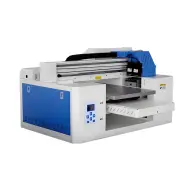
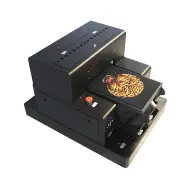
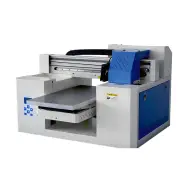
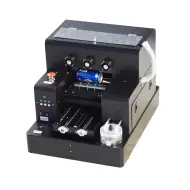
Link to explore high-quality UV printers that are built for durability and easy maintenance: UV Printing Equipment.
It"s kind of like talking to a friend who"s been in the game for years. They"ll tell you, "You look after your printhead, and it"ll look after you." These daily habits are proven to double the lifespan and reduce downtime — saving money and increasing productivity.
FAQs
Q1: How often should I clean my UV printer"s printhead?
A: Perform a nozzle check daily before starting work. If you notice clogs or print quality issues, clean the nozzles immediately. Regular cleaning reduces buildup and extends the printhead"s life.
Q2: Can I use household cleaning products on my printer?
A: No. Use only manufacturer-recommended cleaning agents. Household cleaners may damage sensitive components or leave residues that clog nozzles.
Q3: How do environmental conditions affect my UV printer"s printhead?
A: High temperatures, humidity fluctuations, and dust can cause ink drying issues or clogging. Maintaining a stable, clean environment helps preserve printhead health.
Q4: Is it worth investing in professional maintenance?
A: Absolutely. Regular professional checkups can spot potential issues early, leading to longer printhead lifespan and fewer costly repairs.
Q5: What"s the biggest mistake to avoid to prolong my printhead"s life?
A: Ignoring signs of printhead wear or skipping routine cleaning. Small daily habits add up—stay consistent, and you"ll see the benefits.