Can I Leave a DTG Printer Turned Off Overnight, or Must It Stay on 24/7? | GNFEI
Can I Leave a DTG Printer Turned Off Overnight, or Must It Stay on 24/7?
Every new direct-to-garment printer operator eventually faces the same dilemma at the end of their first production shift: Should I switch the main power rocker off, or should I leave the printer humming on standby 24/7? For standard desktop paper printers or solvent wide-format equipment, cutting power overnight is normal practice. But DTG textile machinery operates under entirely different fluid-dynamic and chemical laws.
Direct-to-garment white inks are loaded with dense mineral titanium dioxide (TiO₂) and water-borne acrylic latex binders. When power is completely severed, the active defense mechanisms built into modern commercial machinery—automated recirculation loops, scheduled micro-spits, and active capping maintenance—instantly halt. Below, we break down the engineering reality of DTG power modes, reveal what happens inside stagnant ink lines overnight, and establish the ultimate power management protocol for your garment printing business.
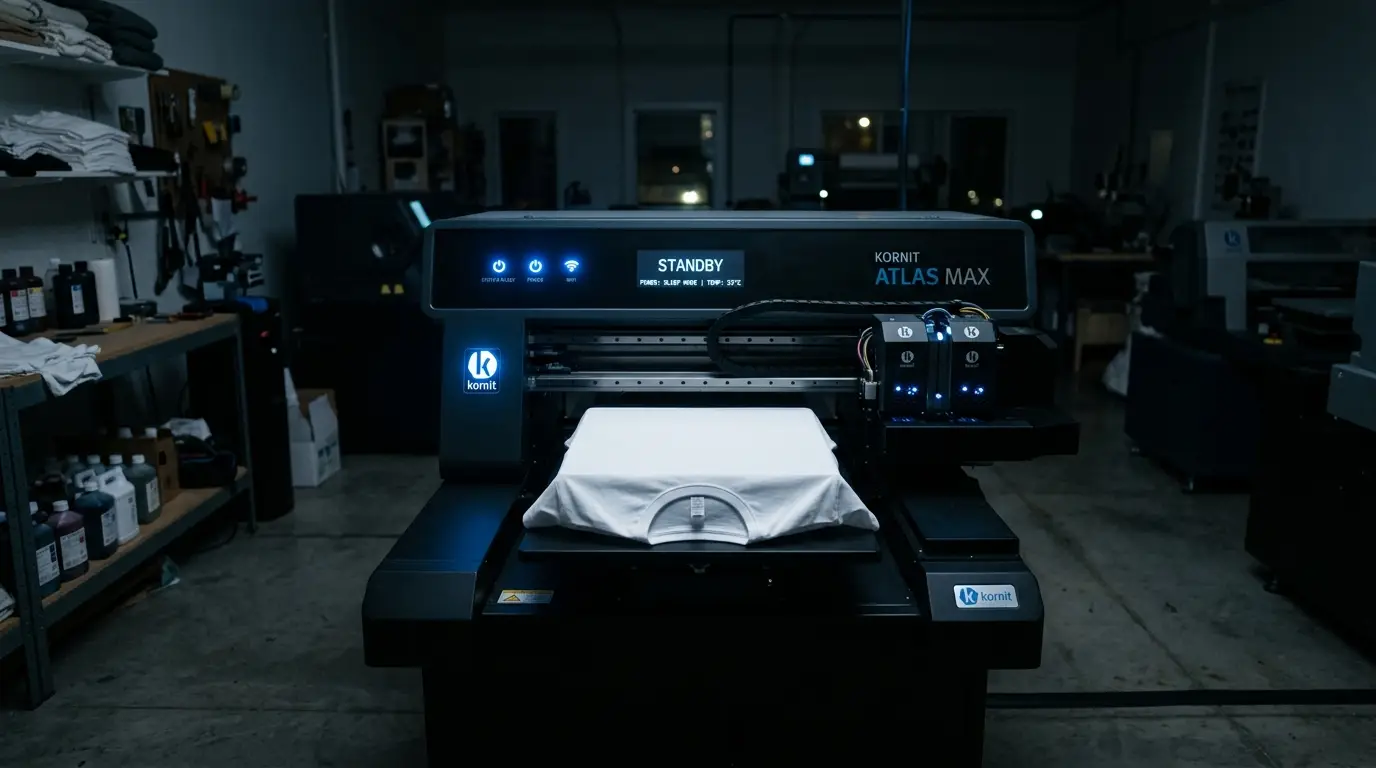
The Engineering Verdict: Standby 24/7 vs. Hard Power-Off
If your DTG printer is equipped with a modern White Ink Management System (WIMS), motorized ink agitators, or firmware-driven auto-cleaning timers (such as those on GNFEI, Epson F-Series, Brother GTX, or Ricoh DTG engines), the consensus among printhead engineers is unequivocal:
Golden Operational Rule
Leave the machine powered ON in Standby / Sleep Mode 24/7. Use the soft power button on the control panel to enter idle sleep, but never disconnect the main AC electrical supply or flip the rear breaker switch off overnight unless the machine has been fully flushed with chemical storage solution for long-term storage.
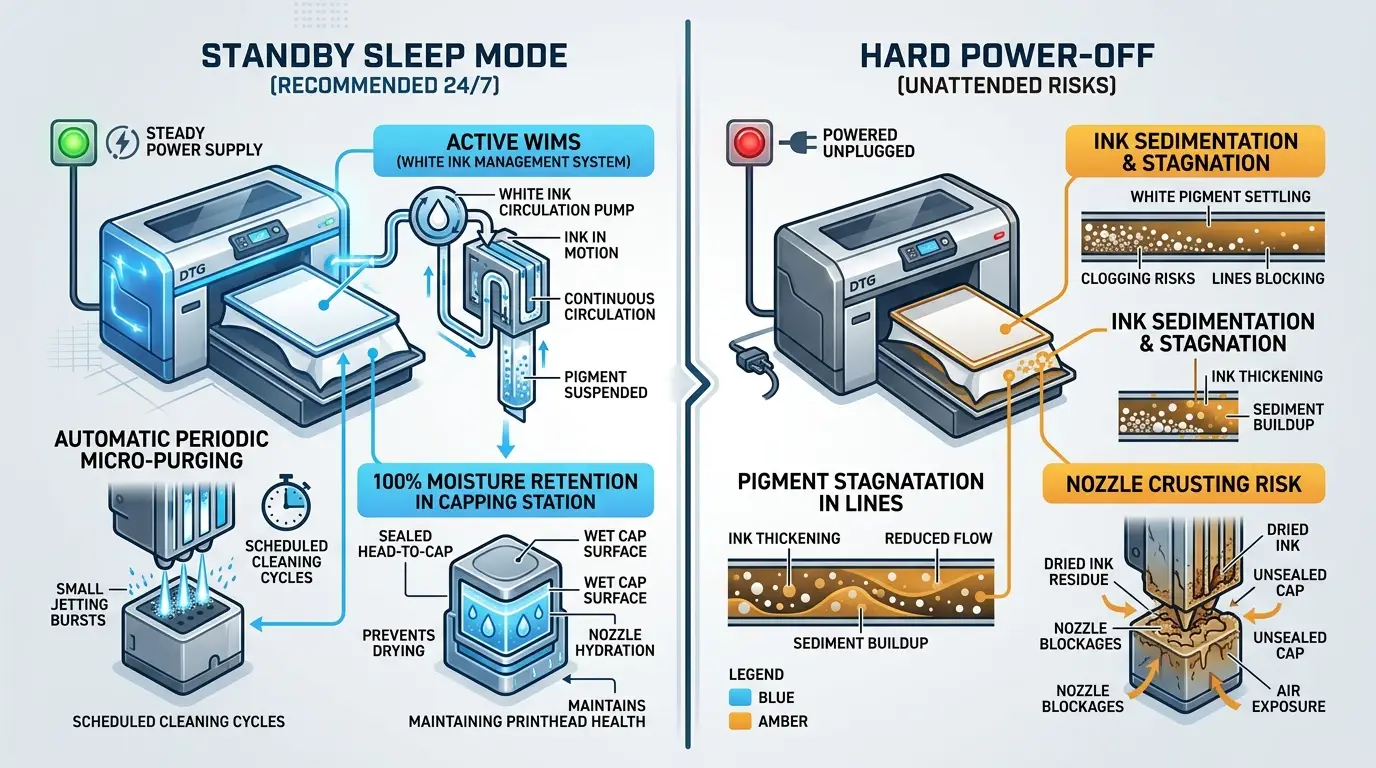
Leaving the master power connected allows the printer's internal micro-controller to wake up periodically during the night, recirculate white ink through the supply lines, and discharge microscopic droplets into the capping station to keep the nozzle meniscus freshly lubricated.
Understanding the Three Electrical States of a DTG Printer
Many printing shop owners confuse the front power button with the master electrical cutoff. In reality, modern commercial DTG hardware features three distinct electrical operational tiers:
1. Active Production Mode
Main AC on, control panel active, platen heaters energized, and carriage motors locked into high-frequency positioning. Power draw: 60W to 250W depending on platen heat settings.
2. Standby / Sleep Mode (24/7)
Initiated via the front panel power switch. LCD display dims, motors de-energize, but logic boards, low-voltage circulation pumps, and scheduled firmware timer relays stay live. Power draw: 8W to 20W.
3. Hard Power-Off (Disengaged)
Rear master switch toggled off or wall cord unplugged. Zero power throughout all circuits. WIMS stops, timer circuits freeze, and no automated maintenance can occur. Power draw: 0W.
The Physical Comparison: Standby Sleep Mode vs. Hard Power-Off
What happens inside the printer while the lights are out in your shop? The technical schematic below demonstrates the profound physiological divergence between keeping a DTG printer connected in Standby Sleep Mode versus cutting its electrical lifeline completely.
What Happens Inside Stagnant Ink Lines When Completely Turned Off?
Direct-to-garment white ink is fundamentally different from any CMYK color. White ink derives its bright opacity on dark garments from micronized particles of Titanium Dioxide (TiO₂). Because titanium dioxide has a high molecular density (specific gravity of ~4.2 g/cm³ compared to water at 1.0 g/cm³), it is held in liquid suspension only by electrostatic charge repulsions and dispersant polymer coatings.
When a machine is hard-powered off and left motionless for 8 to 14 hours overnight, three destructive physical processes begin in rapid succession:
1. Gravity-Driven Sedimentation in Damper Reservoirs
Within 6 hours of static rest without micro-circulation, heavy TiO₂ crystals settle to the lower chambers of the dampers and the manifold entry channels above the piezo nozzles. The ink separates into a clear, carrier-rich top layer and a dense, compacted chalk-like paste at the bottom.
2. Meniscus Dehydration and Skin Formation
Although the carriage rests in the capping station, temperature changes in the room overnight cause microscopic air volume expansions and contractions inside the rubber cap. Without occasional micro-spits from firmware timers to refresh the fluid meniscus, the volatile co-solvents evaporate, leaving an elastomeric acrylic polymer skin directly over the 20-micron nozzle apertures.
3. Tubing Wall Deposition
Stagnant white ink sitting motionless inside horizontal polyurethane delivery tubes forms sediment crust along the lower wall of the tubing. When you power the printer on in the morning and suction pulls this loosened sediment into the sub-micron damper mesh, the mesh blinds instantly, starving the printhead during your first print run.
The Three Lifelines Operating in 24/7 Standby Mode
When you leave the master power switch engaged and power down only via the control panel soft button, the machine enters a protective vigil. The firmware continuously orchestrates three critical automated routines:
Lifeline 1: Scheduled WIMS White Ink Circulation
The internal timer activates low-noise peristaltic circulation pumps for 45 to 90 seconds every 2 to 4 hours. White ink is drawn from the bulk bottle, pushed through the entire supply tubing loop past the carriage dampers, and routed back to the bottle. This maintains uniform pigment suspension and prevents stagnation clogs throughout the tubing runs.
Lifeline 2: Periodic Micro-Spitting / Flash Jetting
At predetermined intervals, the printhead carriage briefly pulses piezo crystals to eject a negligible burst of ink droplets (fractions of a microliter) directly into the capping station or spittoon sponge. This simple pulse purges high-viscosity surface ink from the nozzle plate, preventing dry meniscus plug formation.
Lifeline 3: Micro-Vacuum Refresh on Capping Station
If ambient temperature sensors detect rising temperatures or drops in workshop relative humidity, certain commercial engines command the peristaltic waste pump to execute a half-turn micro-suction. This draws fresh, wet ink from the dampers down to the nozzle face, ensuring the capping seal never dries out.
Side-by-Side Comparison: 24/7 Standby vs. Hard Power-Off
Here is how the two operational methodologies measure up across critical business, financial, and mechanical variables:
Debunking the Power Bill Myth: What Does 24/7 Really Cost?
Some print shop operators switch their printers completely off because they fear skyrocketing electric utility bills. Let us examine the actual electrical engineering math:
Standby Power Consumption Math
- Average commercial DTG standby consumption: 12 Watts
- Hours overnight and weekend idle per month: ~500 hours
- Monthly Energy Consumed: 12 Watts × 500 Hours = 6,000 Watt-hours = 6 kWh
- Average Commercial Electricity Rate (US/EU): /bin/zsh.18 per kWh
- Total Monthly Standby Cost: 6 kWh × /bin/zsh.18 = .08 per month
Now compare that .08 per month electrical cost to the ink and hardware consequences of hard-powering off:
When you turn off the master switch overnight, the white ink settles and nozzles form dry skins. Every morning upon power-up, you must run two or three heavy head cleanings to recover full nozzle firing. Three heavy cleanings consume 15 to 25 mL of textile ink (.50 to .50 of wasted ink every single morning!). Over 22 working days, you waste over in flushed ink just to save .08 in electricity.
Physical Seal Architecture: Capping Station and Wiper Maintenance
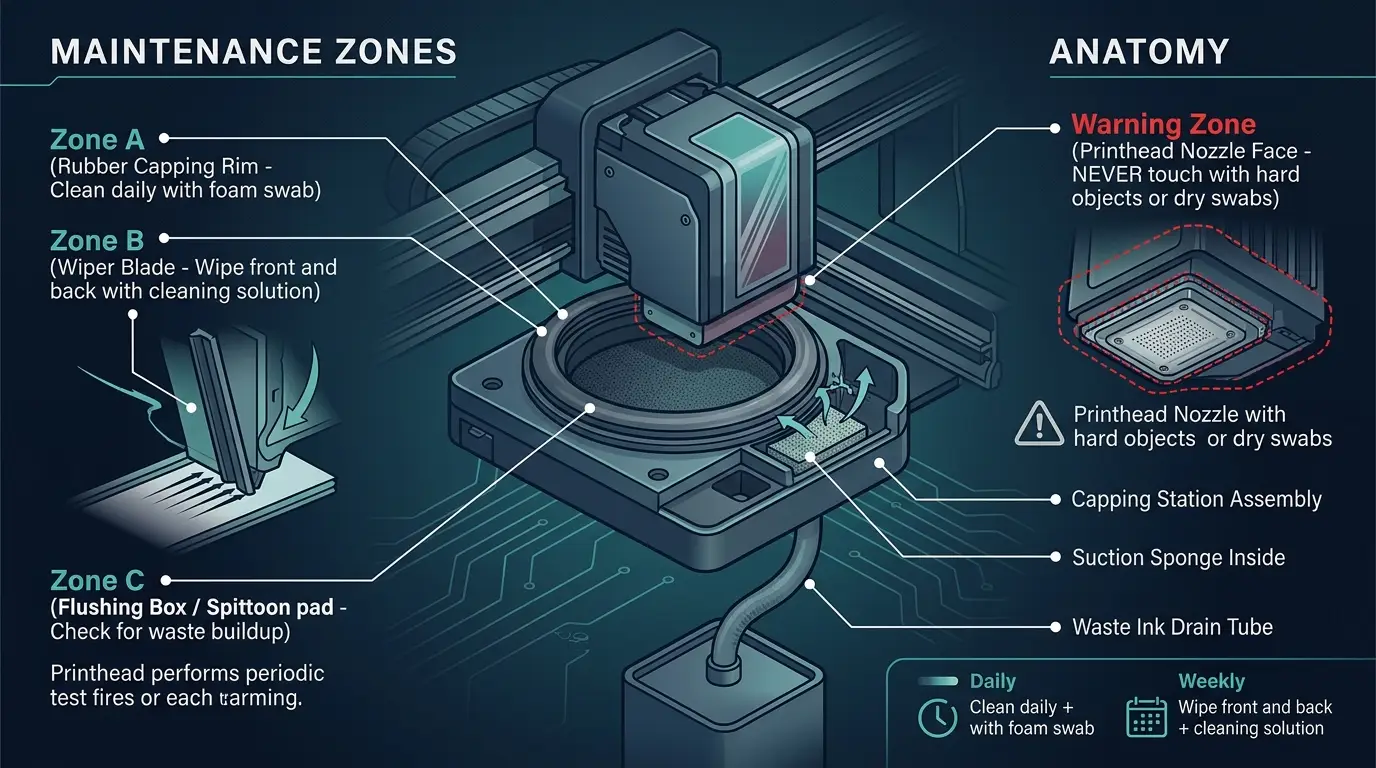
Regardless of whether your machine remains in standby or is turned off, the physical seal between the printhead nozzle plate and the capping station is your first line of defense. The diagram below details the critical maintenance points required before leaving the machine idle for the night:
GNFEI F85G3 A3 DTG Garment Printer
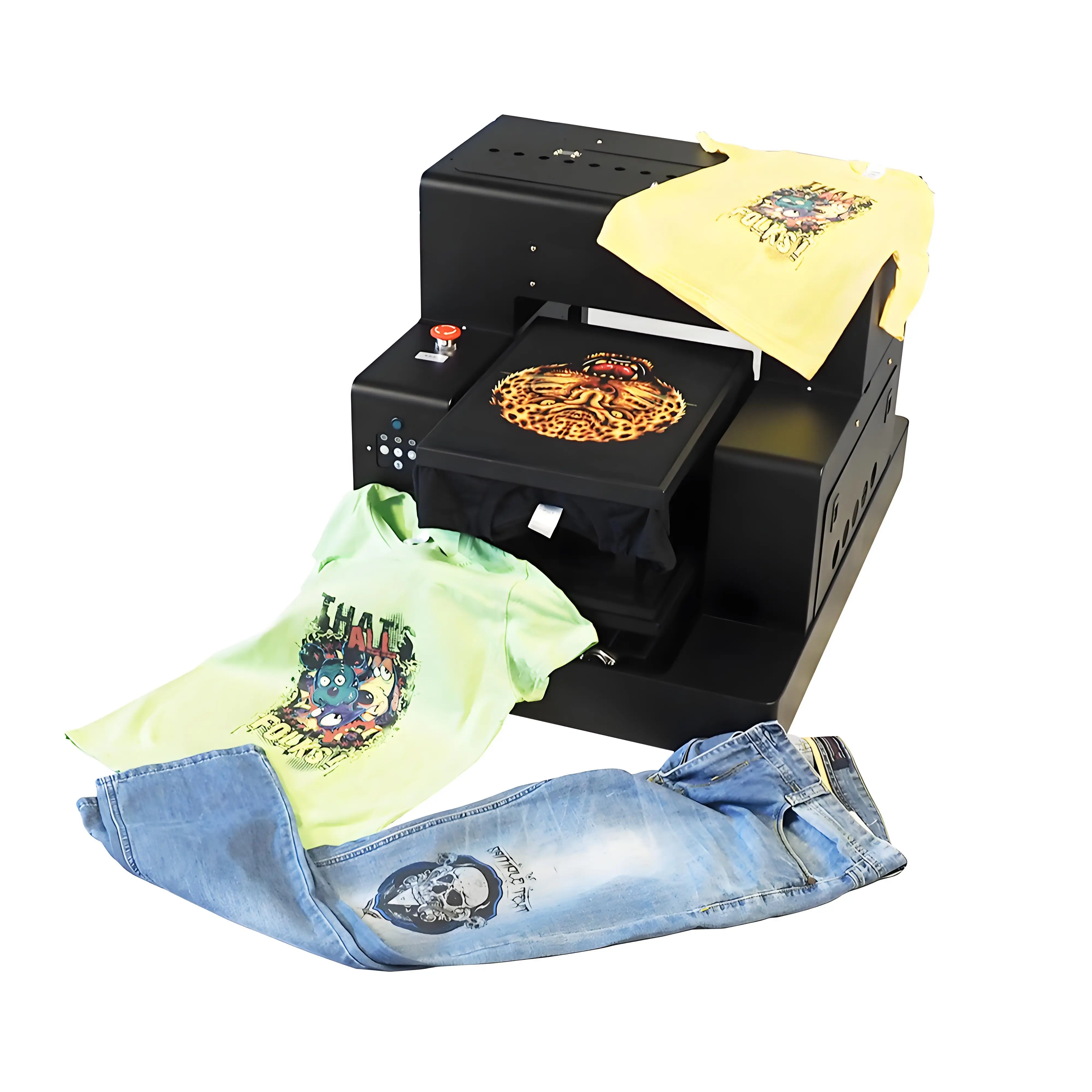
Equipped with our factory-integrated 24/7 Micro-Current WIMS Auto-Circulation System, dual micro-piezo heads, independent white ink stirring reservoirs, and automated standby sleep protection. Zero morning nozzle dropouts, whisper-quiet overnight idling, and flawless white underbase opacity on 100% black cotton apparel.
When Is It Acceptable (or Necessary) to Turn Off Completely?
While 24/7 standby is the recommended baseline, there are specific scenarios where physically turning off the main power is mandatory or prudent:
- Severe Electrical Storms or Grid Instability: If your commercial facility is prone to lightning strikes, severe brownouts, or rapid voltage spikes, cutting the main circuit breaker prevents high-voltage surge damage to sensitive printhead driver boards.
- Fire Code or Commercial Lease Mandates: Some municipal commercial building regulations or shopping mall leases strictly forbid unmonitored electronic equipment from drawing AC power outside business hours.
- Planned Multi-Week Absence (Vacation / Facility Move): If the workshop will be unstaffed for longer than 7 to 10 days, leaving the machine in standby is risky because the waste ink tank may overflow. In this case, perform a complete chemical storage fluid flush and turn the main switch off.
Best Practice Recommendation: Invest in a Smart UPS
To enjoy the benefits of 24/7 standby mode without exposing your printer to electrical surges or power cutoffs, connect your DTG machine to a 1000VA to 1500VA True Online Sinewave Uninterruptible Power Supply (UPS). The UPS conditions line voltage, absorbs lightning surges, and provides 3 to 5 hours of battery backup if power drops in the middle of the night.
The Mandatory Evening Shutdown Protocol (10-Minute SOP)
Whether your DTG printer remains in 24/7 Standby Mode or is powered down under strict wet capping, execute this standardized end-of-day checklist before walking out the workshop door:
Wipe Wiper Blade and Carriage Perimeter
Moisten a foam-tipped swab with DTG cleaning fluid. Gently wipe both sides of the silicone wiper blade and clean ink mist buildup along the outer metal perimeter of the printhead carriage. Never touch the nozzle plate face directly.
Clean the Capping Station Silicone Lip
Inspect the rubber perimeter of the capping station. Clean away any dried ink crust, coagulated lint, or fiber strands. An airtight seal is impossible if ink debris lines the gasket rim.
Execute Wet Capping (Moisture Infusion)
Apply 0.5 mL to 1.0 mL (2 to 3 drops) of specialized capping moisturizing solution directly onto the capping sponge. This creates a 100% relative humidity micro-chamber below the nozzle plate.
Soft Power Down to Dock Carriage
Press the front control panel power button. Allow the firmware to home the carriage, engage the mechanical lock, and press the capping station flush against the nozzle plate. Leave the rear master rocker switch ON.
Verify Workshop Climate Settings
Ensure your workshop HVAC or ultrasonic humidifier keeps the room between 20°C to 26°C (68°F - 78°F) and between 45% to 65% relative humidity. Never turn off climate control in dry winter or sweltering summer environments.
Frequently Asked Questions: DTG Overnight Power & Maintenance
Q1. Can I turn off my DTG printer at the main power switch every night?
While you can technically turn off the power switch, commercial apparel decorators strongly advise against it for modern DTG printers equipped with automated circulation. Hard-powering off disables internal White Ink Management Systems (WIMS) and automated micro-spit routines, allowing heavy titanium dioxide pigments to settle in the supply lines and printhead dampers overnight.
Q2. What is the difference between "Hard Power-Off" and "Standby Sleep Mode"?
Hard Power-Off cuts all AC line electricity to the motherboard, pumps, and motors via the rear rocker switch or wall outlet. Standby Sleep Mode keeps the main board energized while sleeping the display and heaters, allowing firmware timers to cycle peristaltic circulation pumps, shake white ink reservoirs, and perform micro-purges into the capping station every 2 to 4 hours.
Q3. How much electricity does a DTG printer consume when left in standby 24/7?
Modern desktop and industrial DTG printers consume between 5 and 25 watts while resting in standby sleep mode. At average commercial electricity tariffs (/bin/zsh.15 to /bin/zsh.20 per kWh), leaving your machine powered on in standby 24/7 costs approximately /bin/zsh.60 to .50 per month—a tiny fraction of the cost of replacing an to ,800 printhead clogged by pigment stagnation.
Q4. Does WIMS (White Ink Management System) work if the printer is turned off?
No. WIMS circulation pumps, motorized ink agitators, and pressure bypass valves rely entirely on electrical power routed through the printer logic board or dedicated timer relays. If you disconnect wall power or flip the master breaker switch, all circulation stops instantly, causing titanium dioxide particles to settle onto internal tubing walls within 8 to 12 hours.
Q5. What happens if there is a sudden power outage overnight while the printer is in standby?
If power fails while the printhead carriage is already parked firmly on the capping station, the nozzles remain protected from rapid air drying. However, unattended brownouts or voltage spikes upon power restoration can damage sensitive logic boards. For this reason, all professional shops connect their DTG machinery to an uninterruptible power supply (UPS) with surge suppression.
Q6. Can I turn the printer off if I do manual wet capping every evening?
Yes. If your shop environment mandates complete electrical shutdown for fire code compliance or building safety, you can safely power down provided you execute a rigorous manual wet capping protocol. Depositing 1.0 mL of humectant-rich moisturizing solution into the capping station creates an airtight 100% humidity chamber that protects the nozzle plate from drying while power is cut.
Q7. Why do manufacturers like Epson, Brother, and Ricoh recommend leaving DTG printers on 24/7?
OEM manufacturers design commercial textile engines around active micro-maintenance algorithms. When left in standby, the machine runs autonomous scheduled cycles: periodic white ink agitation, low-volume nozzle spitting to clear meniscus micro-gels, and vacuum refreshes. This guarantees the machine is primed and ready to print without requiring wasteful high-pressure head cleanings every morning.
Q8. Does leaving the printer on 24/7 wear out the printhead or mechanical components?
No. In standby mode, stepper motors, drive belts, and vacuum platens are completely de-energized and motionless. The only active components are the low-voltage logic board timer and an intermittent micro-circulation pump that runs for 30 to 60 seconds every few hours. This microscopic duty cycle produces virtually zero mechanical wear while saving printhead lifespan.
Q9. What should I do if I am going away for the weekend (Friday night to Monday morning)?
For weekend absences (48 to 72 hours), leave the DTG printer powered ON in standby sleep mode. Thoroughly clean the wiper blade and capping station rim on Friday afternoon, apply fresh wet capping fluid to the suction sponge, empty the waste ink bottle to prevent overflow during auto-spits, and ensure the room climate control maintains 40% to 60% relative humidity.
Q10. What is the correct step-by-step evening shutdown routine if I must turn off the main power?
If turning off main power, first execute the front soft-power button to allow the carriage to safely dock. Next, clean the perimeter of the capping seal and silicone wiper with foam swabs. Add 3 to 4 drops of moisturizing solution to the capping sponge. Manually verify the carriage is locked in the capping home station. Finally, power off via the master switch.