What Room Humidity and Temperature Does a DTG Printer Require? | GNFEI
What Room Humidity and Temperature Does a DTG Printer Require?
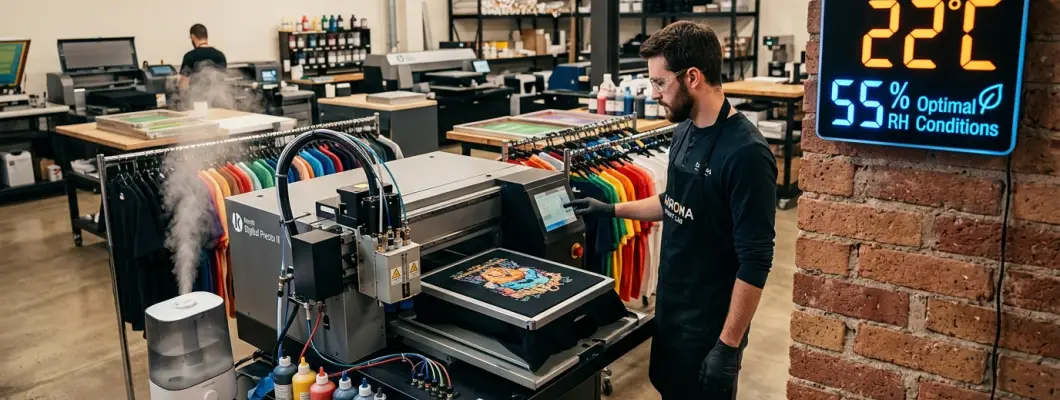
In professional textile printing, operators spend thousands of dollars on premium garment printers, high-grade white inks, and automated pre-treatment machines, yet often overlook the single most critical variable governing printhead longevity: the ambient air in the workshop. Direct-to-garment printers do not operate in a vacuum; they breathe the atmospheric air of your print studio with every carriage pass.
Water-borne DTG textile inks are formulated with finely balanced balances of deionized water, humectants (such as glycerol and glycols), and acrylic polymer binders. When temperature or relative humidity drifts outside precise engineering tolerances, the thermodynamic equilibrium collapses. Nozzles crust within minutes, ink viscosity spikes, and static electricity turns your cotton garments into lint magnets. Below, we explore the science behind the DTG climate envelope and explain how to bulletproof your production environment.
The Golden Environmental Window: Exact Temperature & Humidity Specs
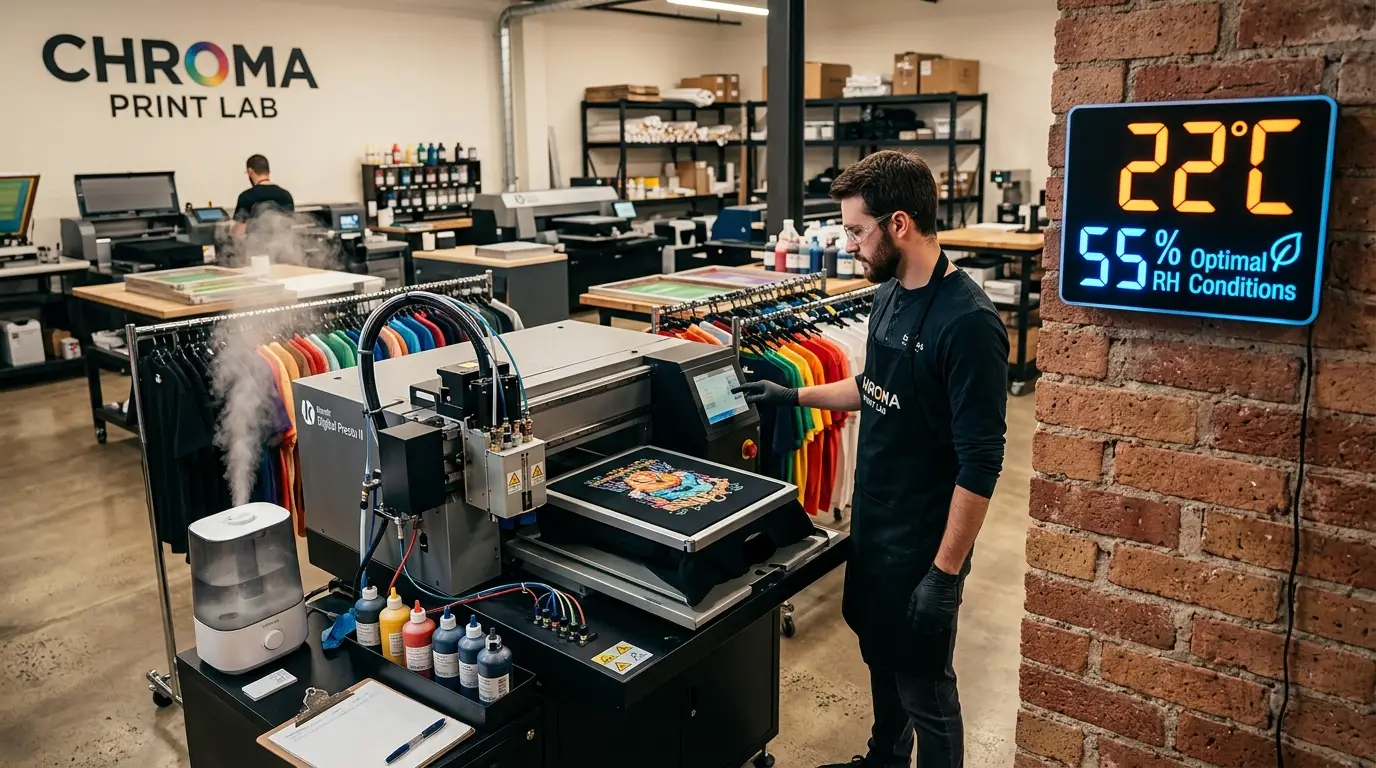
Printhead manufacturers (including Epson, Ricoh, Kyocera, and Brother) specify unambiguous environmental thresholds for aqueous textile inkjet systems. To achieve continuous, zero-dropout production, your print room must be maintained within these parameters:
While modern printers feature onboard temperature sensors to adjust piezo firing voltage waveforms, software compensation cannot overcome severe thermodynamic drying. Operating outside the optimal envelope directly voids warranties on printhead hardware.
The industry standard climate targets are divided into three distinct operational zones:
1. Optimal Operating Window (Target)
Temperature: 20°C to 25°C (68°F - 77°F)
Relative Humidity: 50% to 60% RH
Ensures stable ink viscosity, perfect droplet meniscus recovery, zero nozzle crusting, and optimal fabric moisture absorption.
2. Acceptable Operating Limits
Temperature: 18°C to 28°C (64°F - 82°F)
Relative Humidity: 40% to 70% RH
Production is viable, but requires more frequent automated capping refreshes and vigilance against overnight humidity drops.
3. Danger / Failure Zones
Temperature: <16°C (61°F) or >30°C (86°F)
Relative Humidity: <35% RH or >75% RH
Severe ink thickening below 16°C; instant nozzle skinning and polymer crusting below 35% RH; fabric bleeding and blurred prints above 75% RH.
The Lethal Threat of Low Humidity (<40% RH): Meniscus Skinning & Static
By far the most common cause of catastrophic printhead failure in temperate and continental climates (especially during winter heating months) is low relative humidity. When indoor air drops below 40% RH, the ambient air acts as a moisture sponge, greedily pulling water vapor out of every exposed surface.
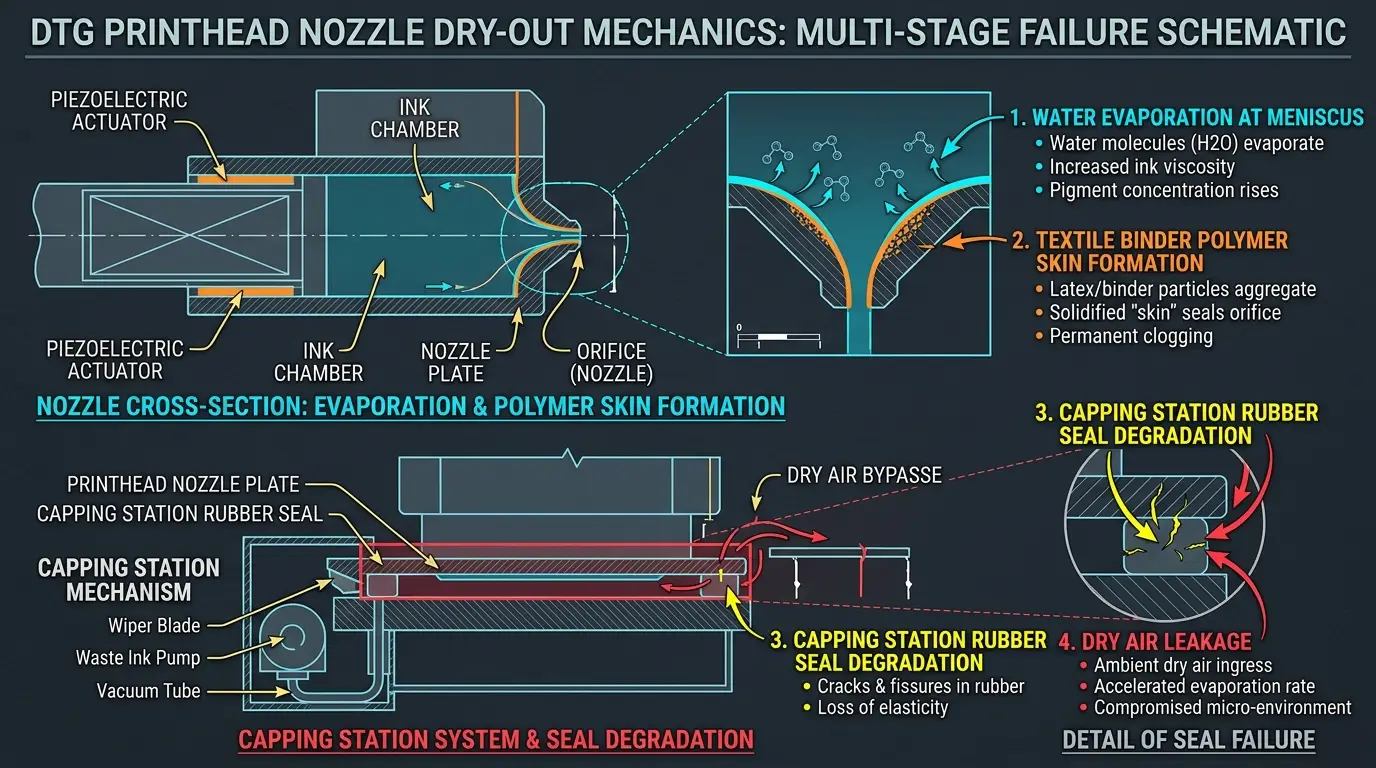
At the printhead nozzle plate, the ink meniscus is exposed directly to room atmosphere. With an aperture diameter of only 20 to 25 microns, the surface-area-to-volume ratio of that liquid droplet is astronomical. Under dry conditions, water and volatile co-solvents evaporate into the dry air within 15 to 30 seconds of carriage stillness.
The Micro-Polymerization Disaster
DTG white ink contains acrylic latex binders designed to cross-link and cure into an insoluble wash-fast film when heated. In low-humidity environments, this binding reaction triggers at room temperature on the nozzle face. The acrylic latex forms a tough, elastic polymer skin over the nozzle orifice. When the piezo crystal pulses, it cannot pierce this skin, leading to deflected spray angles, missing nozzle channels, and permanent nozzle loss.
Furthermore, low humidity drastically increases electrostatic charge buildup. As cotton garments move across pre-treatment platens and loading boards, static electricity attracts airborne cotton fibers and micro-lint directly onto the electrified printhead nozzle plate, dragging fibers across open channels and causing severe color contamination.
Meniscus Dehydration Mechanism: Visualizing Microscopic Nozzle Failure
The engineering diagram below illustrates how ambient air dry-out overwhelms printhead meniscus stability and causes nozzle failure:
Temperature Extremes: Ink Viscosity Spikes and Dot Gain Failures
While humidity dictates drying speed, ambient temperature dictates fluid viscosity. Textile inks are non-Newtonian shear-thinning fluids designed to operate within a tight viscosity window of 3.0 to 5.5 mPa·s (centipoise) at 22°C.
When print room temperature deviates from this standard, the physical behavior of the ink changes drastically:
Cold Workshop (<18°C / 64°F)
Viscosity SpikesCold causes ink carrier fluids to thicken. High viscosity prevents ink from flowing through sub-micron damper filters fast enough, causing starvation and dropouts during high-speed printing passes.
Hot Workshop (>28°C / 82°F)
Viscosity Drops & WeepingExcessive heat thins the ink excessively, lowering surface tension. Ink weeps from the nozzle plate, drips onto garments, and dries into a crust on the capping station rubber seal.
High Humidity (>70% RH)
Pre-treatment BleedingCotton garments absorb excessive atmospheric water vapor. The pre-treatment cannot dry properly, causing wet white ink to feather, bleed, and lose crisp edge sharpness.
Environmental Operating Matrix: Cold & Dry vs. Golden Window vs. Hot & Humid
Detailed engineering breakdown of print conditions across the three climate extremes:
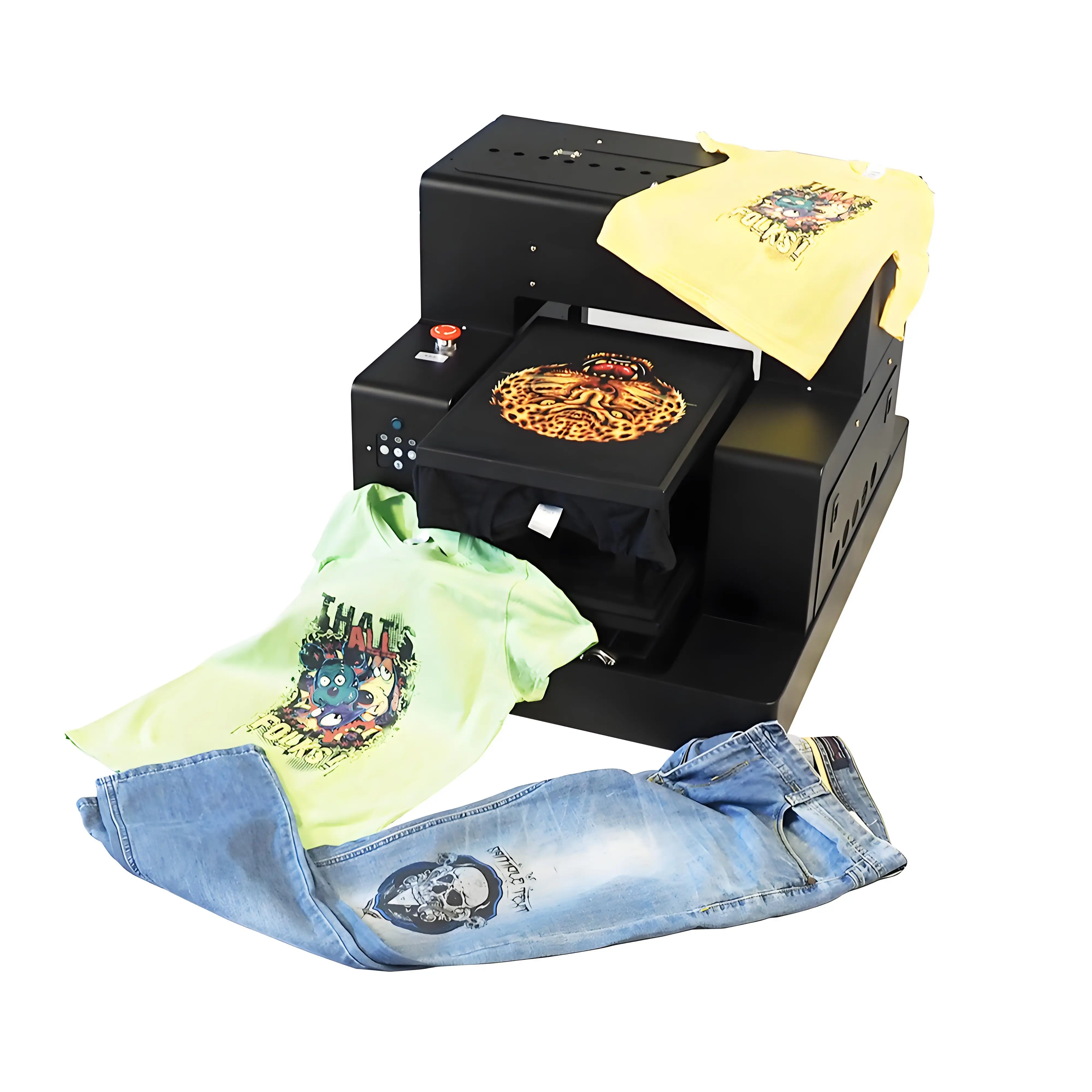
GNFEI F85G3 A3 DTG Garment Printer
Built with dual micro-piezo printheads, factory-integrated 24/7 closed-loop WIMS circulation, and sealed silicone capping stations. Highly resilient across demanding production environments, delivering crisp white underbases on 100% black cotton garments with industry-leading reliability.
Workshop Climate Stabilization SOP: 4 Essential Hardware Tools
To maintain your print room within the golden 50% to 60% RH window 24 hours a day, 365 days a year, invest in these four essential workshop tools:
Commercial Ultrasonic Cool-Mist Humidifier
Install an industrial ultrasonic humidifier with automatic humidistat control (e.g. 5L to 10L capacity). Never use warm-steam evaporators, which heat up the room. Always use distilled or RO demineralized water to prevent white calcium dust from settling on optical encoder strips.
Inverter Heat Pump / Mini-Split Climate HVAC
A dedicated mini-split air conditioning and heat pump system allows precise thermostatic temperature control (22°C year-round) and includes independent 'Dry / Dehumidify' modes for muggy summer operations.
Dual Digital Thermo-Hygrometers at Platen Height
Place two calibrated digital thermo-hygrometers in the print room: one directly adjacent to the DTG printer carriage platen, and one in the garment pre-treatment / heat press curing area to monitor micro-climates.
Physical Separation of Heat Presses
Never place heat transfer presses or conveyor drying ovens directly next to your DTG printer. Heat presses generate localized micro-zones of 40°C heat and zero humidity that dry out printhead nozzles instantly. Maintain at least 3 to 5 meters separation or install partition walls.
Frequently Asked Questions: DTG Humidity & Temperature Requirements
Q1. What is the ideal room humidity for a DTG printer?
The optimal relative humidity for direct-to-garment printing is strictly between 50% and 60% RH. Production remains safe between 45% and 65% RH. Operating below 40% RH drastically accelerates nozzle meniscus drying, while exceeding 70% RH causes ink bleeding on garments.
Q2. What happens if room humidity drops below 35%?
At humidity levels under 35% RH, water evaporates from the microscopic 20-micron nozzle openings within seconds of carriage movement. Acrylic latex binders polymerize into tough dry skins, causing deflected sprays, banding, and severe permanent nozzle blockages.
Q3. What is the optimal room temperature for direct-to-garment printing?
The recommended operating temperature is between 20°C and 25°C (68°F to 77°F). Temperatures below 18°C increase ink viscosity and cause ink starvation, while temperatures above 28°C reduce viscosity, causing ink dripping and nozzle plate puddling.
Q4. What type of humidifier is best for a DTG print room?
Always choose an industrial ultrasonic cool-mist humidifier equipped with a digital humidistat that automatically turns the unit on and off. Avoid evaporative steam vaporizers, which raise room temperature and consume excessive electricity.
Q5. Can I use tap water in my print shop humidifier?
No. Tap water contains dissolved minerals (calcium and magnesium) that ultrasonic humidifiers atomize into fine white mineral dust. This dust settles on linear guide rails, carriage bearings, and optical encoder strips, causing carriage travel errors. Always use distilled or reverse-osmosis (RO) demineralized water.
Q6. Why should heat presses be kept away from the DTG printer?
Heat presses radiate intense localized heat (160°C to 180°C / 320°F to 360°F) that creates a micro-climate of low humidity directly around the machine. Heat plumes dry out printhead nozzles and bake ink onto the capping station rubber seal. Separate your printer and heat press by at least 3 to 5 meters.
Q7. Can high humidity cause print quality issues?
Yes. When relative humidity exceeds 70% to 75%, cotton fibers absorb moisture from the air, preventing pre-treatment and ink from penetrating cleanly. This leads to ink bleeding, dot gain, mottled color underbases, and longer heat press curing times.
Q8. Should I leave the humidifier running overnight when the shop is closed?
Yes. Printheads are vulnerable to dry air 24/7. An automated ultrasonic humidifier with an integrated humidistat should remain active overnight to prevent shop humidity from crashing before the morning production shift.
Q9. How does cold weather affect white DTG ink specifically?
Because white ink contains heavy titanium dioxide mineral particles, lower temperatures cause the glycol carrier fluids to thicken significantly. Cold white ink cannot pass smoothly through dampers, resulting in severe ink starvation during heavy solid-fill prints.
Q10. How do I know if my nozzle clogs are caused by low humidity?
If your nozzle checks look perfect immediately after a cleaning cycle, but nozzles start dropping out within 2 to 3 minutes of active printing, your room humidity is almost certainly below 40% RH. Meniscus evaporation during carriage sweeps is causing surface drying.