From Flat Surfaces to Irregular Objects: What a UV Printer Can Really Handle
Struggling to map out what a UV printer can really handle? You"re not alone. When people think of UV printing, they often imagine printing only on flat, smooth surfaces. But the truth is, modern UV printers can do so much more. Are you curious whether your unique project"s shape is compatible? Let"s dive into what a UV printer can manage — from flat surfaces to irregular objects — and how you can make the most of this versatile tool.
Understanding UV Printing: More Than Just Flat Surfaces
The Basics of UV Printing
UV printing uses ultraviolet light to instantly dry or cure ink on a variety of surfaces. This process creates vibrant, durable prints that are resistant to scratches and weather. What makes UV technology stand out is its ability to print directly onto nearly any material, including glass, plastic, metal, wood, and even items with irregular shapes.
What About Flat Surfaces? Easy.
Initially, UV printers were mainly used for flat surfaces — signs, labels, promotional items, and packaging. The process is straightforward: position the surface under the print head, and ink is applied with precision. Flat printing is fast, detailed, and perfect for mass production. But that"s just the surface (pun intended).
Handling Irregular and 3D Objects: The Game Changer
Why More Shapes Are Possible Than Ever
The big shift? Advances in UV printing technology, along with adaptable hardware like multi-axis print heads and flexible curing options, now allow printing on complex, uneven, and 3D surfaces. This means that objects with curves, textures, or intricate shapes are no longer off-limits. I"ve actually seen a custom jewelry manufacturer print directly onto gemstone shapes — the results? Stunning and highly detailed.
How Do UV Printers Manage Irregular Shapes?
- Flexible hardware configurations: Many UV printers now incorporate movable, multi-axis platforms that tilt, rotate, or adapt to the object's shape.
- Adjustable print heads: Some printers can change height automatically to maintain optimum distance on uneven surfaces.
- Software with 3D mapping capabilities: Advanced printing software can create a 3D map of the object to ensure accurate ink placement.
Real-World Example
I was chatting with a friend who owns a promotional item business. They used to limit themselves to flat coasters and business cards. Recently, they invested in a UV printer capable of handling irregular shapes. Now, they customize printed mugs, irregular keychains, and wine bottles. The variety of products increased, and so did their sales — all thanks to the printer's versatility.
Practical Tips to Maximize UV Printing on Irregular Objects
Know Your Material
Not every object is a good candidate. Materials should be compatible with UV ink and able to withstand curing. Test small batches first and consider surface texture — the rougher or more textured, the more challenging.
Prepare Your Object Carefully
- Clean the surface thoroughly — dust, oil, or grease can interfere with adhesion.
- Secure objects properly — ensure they don"t move during printing, especially for detailed designs.
- Use masking or jigs — custom fixtures help stabilize irregular items.
The Role of Software and Hardware
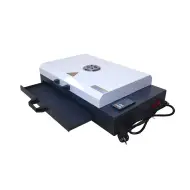
Investing in software that supports 3D mapping is essential for complex shapes. Combine that with a flexible print platform or robotic arms, and you"ll get exceptional results. The [https://www.gnfei.com/products/spot-uv-printing-machine-glossy-uv-coating-printer.html](https://www.gnfei.com/products/spot-uv-printing-machine-glossy-uv-coating-printer.html) machine is an example of a high-end UV printer capable of handling diverse shapes and materials.
Applications of UV Printing on Irregular Objects
- Personalized gifts: Custom bottles, ornament balls, or textured plaques.
- Industrial parts: Marking on irregular machinery components or tools.
- Jewelry and accessories: Printing intricate designs directly onto irregular stones or metal pieces.
- Medical devices: Printing labels or inscriptions on complex shapes like prosthetics or implants.
What to Keep in Mind Before You Get Started
- Experience matters: Mastering UV printing on irregular objects takes practice. Start with simple shapes and gradually move to more complex designs.
- Material compatibility: Not all surfaces work well; always verify UV ink adhesion and durability.
- Budget considerations: Advanced equipment with multi-axis movement or software features may cost more upfront but can save time and expand your product portfolio.
FAQs About UV Printing on Irregular Objects
Can UV printers print on soft or flexible materials?
Some UV printers support printing on flexible surfaces, but it depends on the equipment and ink formulation. Check your printer"s specifications and run tests first.
How durable are UV prints on irregular objects?
UV prints are highly durable, resistant to scratches, UV exposure, and water, making them suitable for outdoor and daily-use items.
What are common challenges when printing on irregular shapes?
Issues include uneven ink coverage, misalignment, or print distortion. Proper fixture setup, software calibration, and choosing suitable materials help mitigate these.
Is special software necessary for printing on 3D objects?
Yes, software with 3D mapping features simplifies complex print jobs. It ensures accurate color placement and minimizes errors on irregular surfaces.
How much does a UV printer capable of handling irregular shapes cost?
Prices vary widely depending on features, size, and capabilities — from affordable desktop models to high-end industrial machines. Consider your project scope and future needs.
Advanced Technical Insights & Application Analysis
One of the standout advantages of UV printing on irregular surfaces lies in the precision and versatility provided by advanced UV curing systems. Unlike traditional printing methods, UV printers use highly engineered inks that adhere seamlessly to non-porous materials, including textured and curved surfaces. The integration of dynamic multi-axis printheads ensures that ink is deposited at the correct angles, reducing issues such as misalignment or drop distortion. This capability is further enhanced by specialized software solutions that perform detailed surface scans, generating 3D object profiles to guide the print process with unparalleled accuracy.
Efficiency in UV curing is also a crucial factor for industrial users. Modern UV printers are equipped with adjustable LED curing units that provide targeted, localized curing based on the shape and size of the object. This not only improves ink longevity but also minimizes energy consumption, making it a cost-effective solution for B2B applications. For example, printing on 3D objects such as personalized water bottles or custom medical parts becomes more streamlined and economically viable when utilizing these energy-efficient curing technologies.
From a business perspective, UV printing on irregular surfaces represents a significant investment opportunity due to its rapid scalability and high return on investment (ROI). Companies specializing in promotional branding, industrial part manufacturing, and custom product design can leverage this technology to expand their portfolio into previously inaccessible markets. The ability to print directly onto complex geometries eliminates the need for labels or additional surface treatments, cutting down both material and labor costs. Such efficiency is particularly valuable for large-scale production runs or industries requiring strict customization standards, such as automotive or aerospace sectors.
Frequently Asked Questions
- What makes UV ink adhesion superior for printing on irregular surfaces?
UV inks are specifically designed to bond with a wide variety of materials, including metals, plastics, and ceramics. They undergo immediate polymerization through UV curing, ensuring a strong and durable finish even on curved or uneven surfaces.
- How do multi-axis systems improve UV printing on 3D objects?
Multi-axis platforms allow the object to rotate or tilt, ensuring that every surface area is optimally positioned relative to the printhead. This reduces print inconsistencies and allows for complex designs on highly irregular geometries.
- Is it possible to fully automate UV printing on irregular items?
Yes, many high-end UV printers support full automation through robotic arms and advanced object alignment systems. Combined with 3D mapping software, these enhancements significantly reduce manual intervention and improve production speeds.
- Which industries benefit the most from UV printing on irregular surfaces?
Key industries include promotional products, custom packaging, automotive part labeling, medical device manufacturing, and high-end luxury goods production. The scalability of the technology makes it adaptable across sectors.
- How do I test material compatibility for UV printing?
Conduct ink adhesion tests on a small area of the material and evaluate curing performance under standard conditions. Many UV printer manufacturers also offer compatibility charts for common substrates to guide this process.