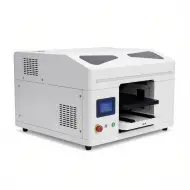
A3 vs A4 UV Printer: Which Size Should I Buy for a Home-Based Small Business?
27 Oct
0 Comments40 Views
A3 vs A4 UV printer: which size should I buy for a home-based small business? Deciding between an A4 and an A3 UV flatbed printer is the most critical equipment crossroads for home-based custom merchandise creators, Etsy artisans, and garage print studios entering digital UV personalization in 2026. While a compact A4 UV printer requires minimal upfront capital (under $2,000) and fits effortlessly on a standard computer desk for printing individual phone cases, badges, and golf balls, an A3 UV printer delivers more than double the printable surface area (300 x 500 mm), dual printhead architecture for simultaneous white, color, and 3D spot varnish, and high-efficiency multi-item vacuum jigs that slash labor time by over 60%. In this comprehensive small business equipment guide, we analyze physical bed dimensions, batch throughput speeds, rotary drinkware clearances, electrical and ventilation footprints, startup consumable economics, and real-world payback periods to help you invest with complete confidence.
Equipment Sizing GuideHome Studio 2026Production ROI
A3 vs A4 UV Printer: Which Size Should I Buy for a Home-Based Small Business?
Reading Time: 9 Mins
Written by: GNFEI Studio Advisory Lab
Updated: October 2026
The quick verdict for home-based entrepreneurs: Buy an A4 UV printer if your initial budget is strictly under $2,500, your workshop is limited to a spare bedroom desk, and you specialize strictly in single-piece personalized items like phone cases, pens, and ID badges. Choose an A3 UV printer if you plan to fulfill commercial batch orders (6 to 8 phone cases per cycle), require simultaneous 3D raised varnish textures, need to customize large drinkware tumblers, or want the versatility to print sheet-fed UV DTF transfer gang sheets.
For small business decorators stepping into digital UV LED curing in 2026, equipment sizing is rarely just about physical dimensions. It directly governs your labor efficiency, printhead architecture, daily production bottleneck, and the maximum product catalog you can sell. Below is your detailed side-by-side engineering, spatial, and financial comparison.
1. Physical Bed Dimensions & Printable Surface Area
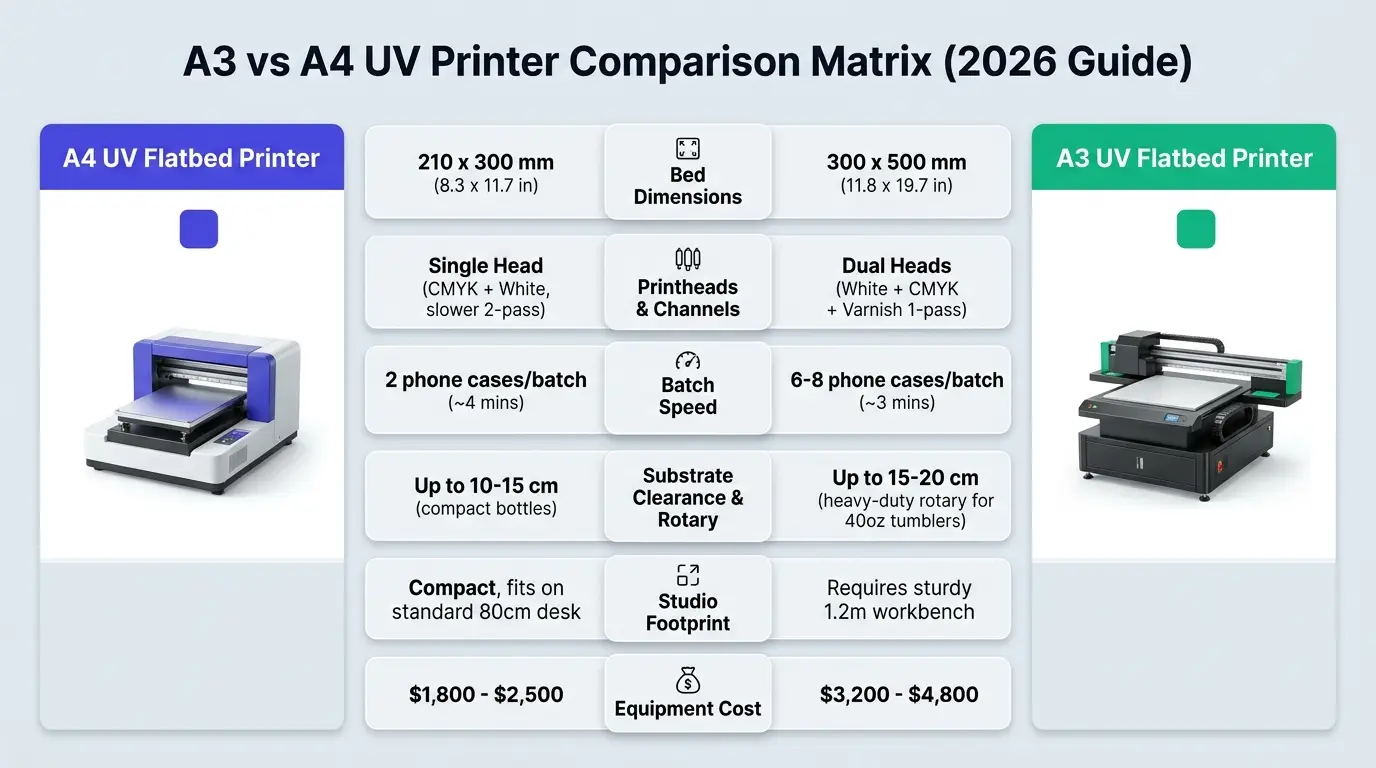
The most obvious difference lies in the maximum flatbed print envelope. However, the usable area difference is significantly greater than most first-time buyers realize:
A4 UV Printer Flatbed
Bed Size: 210 x 300 mm (approx. 8.3 x 11.8 inches). Surface Area: 630 cm² (0.063 m²). Accommodates up to 2 phone cases, 1 medium acrylic plaque, or 8 to 10 pens per loading cycle. Ideal for boutique bespoke gifting where items are customized one at a time on demand.
A3 UV Printer Flatbed
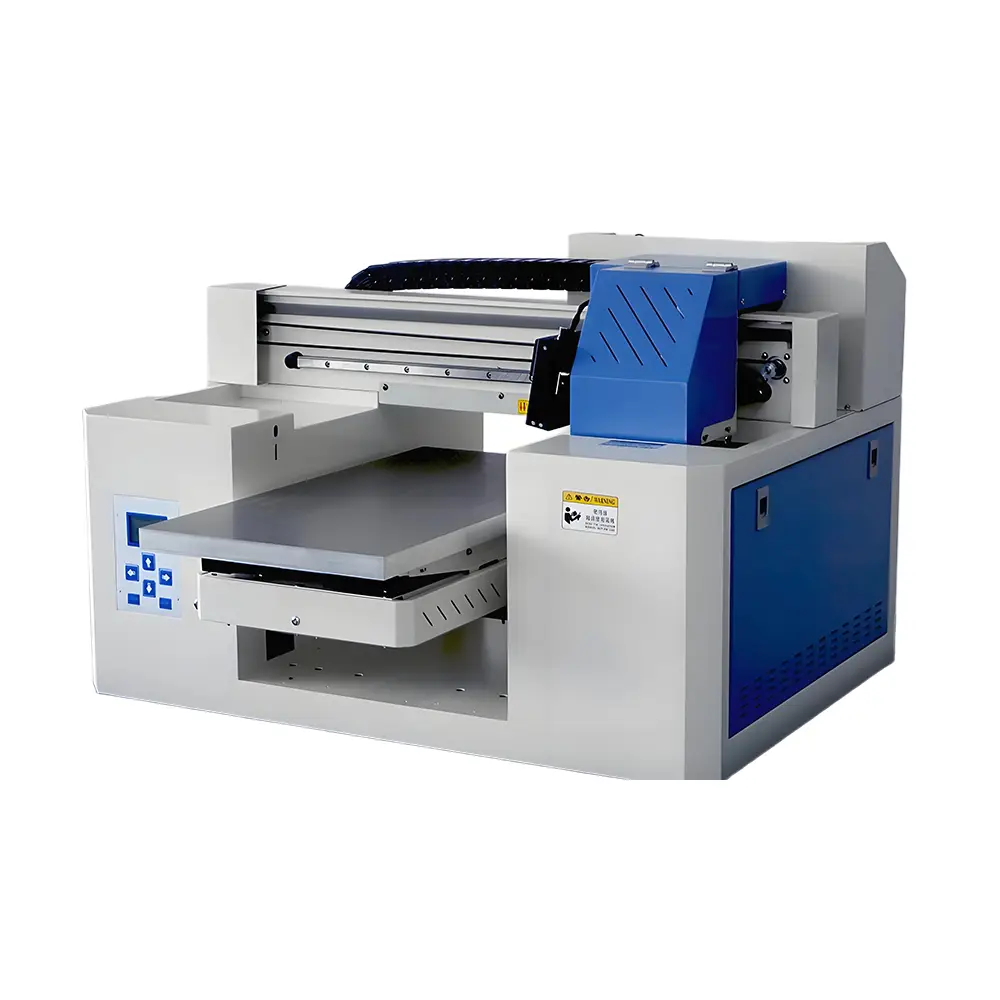
Bed Size: 300 x 500 mm (approx. 11.8 x 19.7 inches). Surface Area: 1,500 cm² (0.15 m²). Offers nearly 2.4 times the printable surface of an A4 model. Fits 6 to 8 phone cases, full A3 acrylic signboards, or complete UV DTF film gang sheets in a single pass.
2. Specification & Production Comparison Matrix
Comparison Feature
A4 UV Printer (Desktop)
A3 UV Flatbed Printer (Studio)
Impact on Home Business
Printhead Configuration
Single Printhead (Epson L805 / TX800 / XP600)
Dual Printheads (Dual XP600 / i3200-U1)
Dual heads print White + CMYK + Varnish simultaneously in 1 pass.
3D Spot Varnish Support
Limited (Requires manual 2nd pass or split ink)
Native (Dedicated gloss varnish channel)
A3 enables high-value 3D raised embossed textures on the fly.
Batch Throughput (Phone Cases)
1–2 cases every 4 to 5 minutes
6–8 cases every 3 to 4 minutes
A3 quadruples your daily output capacity with less operator loading.
Critical for keeping PET film flat for sheet-fed UV DTF printing.
Machine Weight & Desk Space
25–35 kg (Fits standard 80 x 60 cm desk)
65–85 kg (Requires 120 x 80 cm sturdy table)
A4 is highly portable; A3 requires a dedicated permanent workstation.
Average Hardware Investment
$1,800 – $2,400 USD
$3,200 – $4,600 USD
A3 costs ~$1,500 more upfront, but pays back faster on commercial jobs.
3. Single Head vs Dual Head: The Speed & Varnish Divide
The most decisive technical difference between entry-level A4 machines and commercial A3 platforms is printhead architecture. An entry A4 UV printer typically relies on a single modified printhead with 6 ink channels (split into CMYK + 2x White). Printing on dark or transparent items requires the carriage to lay down white ink first, retract, and print color in a separate pass—doubling production time.
In contrast, modern commercial A3 UV printers feature dual printheads (such as two Epson XP600 or i3200-U1 heads). Head 1 jets high-density White underbase while Head 2 simultaneously jets CMYK color and glossy clear Varnish in a single synchronized pass. This eliminates registration misalignment and cuts cycle times by 50% to 65%.
4. Batch Production & Acrylic Jigs: Labor Economics in Action
For a home-based business operator, your most constrained resource is not ink—it is operator labor time. Loading, aligning, and unloading blanks on an A4 printer takes 1 minute for every 1 or 2 phone cases printed. Printing 50 cases requires 25 manual loading cycles.
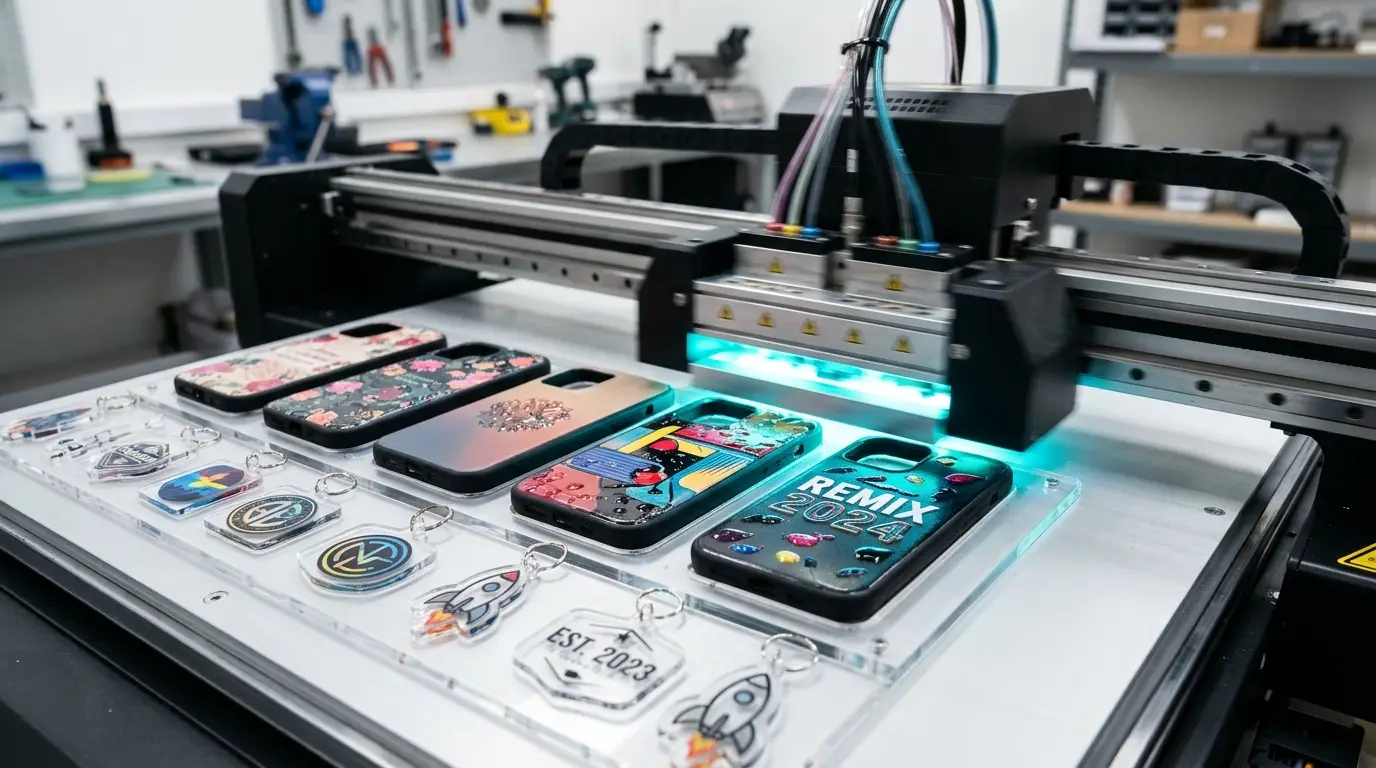
On an A3 vacuum bed, an acrylic multi-item template jig holds 8 phone cases simultaneously. The operator loads the jig once, presses print, and walks away for 3.5 minutes while the printer cures all 8 cases with 3D varnish textures. Printing those same 50 cases requires only 6 cycles, saving over 90 minutes of repetitive manual labor per batch.
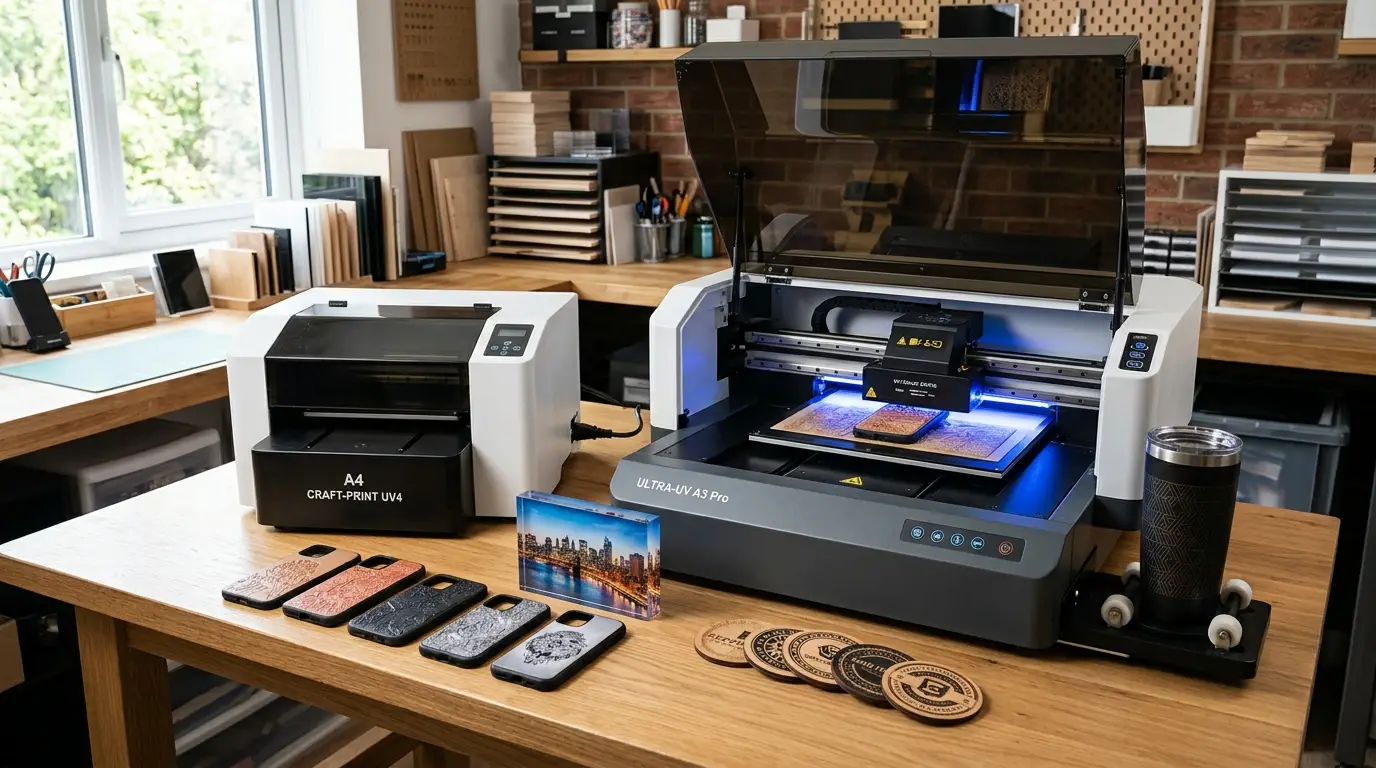
The benchmark studio workhorse for expanding beyond basic items. Combines a 300 x 500 mm vacuum flatbed, synchronized White + CMYK + Varnish dual printheads, sheet-fed UV DTF sticker support, and a high-clearance rotary jig on a single compact chassis.
Dual Epson Printheads: Simultaneous 1-pass white underbase and glossy 3D spot varnish
Built-In Vacuum Bed: Holds thin PET film, acrylic blanks, and jig templates rock solid
Integrated Rotary Fixture: Direct 360-degree cylindrical printing on drinkware tumblers
Low Consumable Cost: Under $0.08 ink cost per full-color custom smartphone case
5. Home Studio Requirements: Power, Noise, and Ventilation
Operating either printer size inside a residential home, garage, or apartment studio requires realistic spatial and environmental planning:
A4 Home Setup Checklist
Space: Fits easily on an 80 x 60 cm desk or craft table
Power: Standard 110V/220V household wall outlet (under 120W power draw)
Weight: 25–35 kg; can be lifted and repositioned by a single adult
Ventilation: Low-odor UV LED inks; requires simple room ventilation or a small carbon air purifier
A3 Home Setup Checklist
Space: Requires a sturdy 120 x 80 cm dedicated workbench or rolling cart
Power: Standard 110V/220V outlet (approx. 200W–250W including vacuum fan)
Weight: 65–85 kg; requires 2 persons to lift and place securely on table
Ventilation: Integrated fan plus tabletop fume extractor recommended for continuous full-day runs
Frequently Asked Questions (FAQ)
Q1. Is an A4 UV printer sufficient to start an Etsy or Shopify custom merchandise business?▼
Yes, an A4 UV printer is completely sufficient if you focus primarily on small personalized gifts, bespoke phone cases, acrylic keychains, name badges, and USB drives ordered in low quantities (1 to 5 pieces at a time). It allows you to validate your product catalog with minimal capital risk under $2,000.
Q2. Why do many home businesses outgrow an A4 UV printer within 6 months?▼
Businesses typically outgrow A4 printers due to labor bottlenecks and physical product size limits. When receiving corporate orders for 50 or 100 branded items, loading an A4 printer 2 pieces at a time takes hours of manual supervision. Additionally, A4 beds cannot print large acrylic signboards, laptop sleeves, or bulky 40oz drinkware.
Q3. Can an A3 UV printer fit inside an ordinary bedroom or apartment?▼
Yes. While an A3 UV printer is heavier (around 70 kg) and requires a solid 120 x 80 cm workbench, its footprint is compact enough to fit comfortably inside a residential spare bedroom, basement corner, or home garage. It operates quietly with standard 110V/220V household electricity.
Q4. Can I print UV DTF transfer stickers on both A4 and A3 printers?▼
Technically yes, but A3 is dramatically superior for UV DTF. UV DTF requires a vacuum bed to hold lightweight PET Film A perfectly flat without curling into the printheads. Furthermore, UV DTF stickers require gloss Varnish as a protective topcoat; dual-head A3 machines print White, Color, and Varnish in a single seamless pass.
Q5. What is the price difference between A4 and A3 UV printers?▼
A high-quality desktop A4 UV printer generally sells between $1,800 and $2,400 USD. A commercial dual-head A3 UV flatbed with vacuum suction and rotary integration ranges from $3,200 to $4,600 USD. The $1,500 to $2,000 price gap reflects dual industrial printheads, integrated vacuum motors, and a reinforced cast-aluminum chassis.
Q6. Does an A3 UV printer consume more ink than an A4 UV printer?▼
No. UV ink consumption depends strictly on the square footage of the graphic printed, not the size of the machine bed. Printing one phone case costs approximately $0.05 to $0.08 in ink whether printed on an A4 flatbed or an A3 flatbed. However, A3 printers waste less ink during batch cleaning cycles per printed unit.
Q7. Which printer size is better for printing on insulated tumblers and mugs?▼
A3 is significantly better for drinkware. A3 printers feature 15 to 20 cm vertical Z-axis clearance and robust motorized rotary fixtures that can easily handle large 30oz and 40oz tapered tumblers with handles. Most A4 printers are restricted to 10 cm clearance, limiting you to slender bottles and small cans.
Q8. How long does daily maintenance take for an A3 vs A4 UV printer?▼
Daily maintenance is virtually identical for both formats: 5 to 10 minutes per day. Tasks include wiping the wiper blade, cleaning the capping station rubber seal with cleaning solution, and performing a test nozzle check before and after your production shift.
Q9. What is the realistic return-on-investment (ROI) timeline for a home studio?▼
With average custom product margins exceeding 80% (selling custom phone cases for $20 with a $1.20 total unit cost), printing just 10 to 15 cases per day fully recovers the initial $3,500 investment of an A3 UV printer within 60 to 90 days. An A4 printer can break even in 30 to 45 days on lower initial volume.
Q10. Can I upgrade an A4 printer to A3 later, or is it better to buy A3 from day one?▼
Flatbed printers cannot be physically expanded from A4 to A3. If your budget allows for the additional $1,500, purchasing an A3 UV printer from day one prevents the cost of buying two separate machines within your first year of business and future-proofs your product offerings with dual-head varnish and vacuum suction.
Launch Your Home UV Customization Studio with GNFEI
Whether you start with a compact A4 desktop system or scale immediately with a dual-head A3 production flatbed, GNFEI offers turn-key equipment packages, factory-direct pricing, and lifetime 1-on-1 technical engineering support.