Is It Cheaper to Buy a Converted Epson UV Printer or a Factory-Built Machine? | GNFEI
Is It Cheaper to Buy a Converted Epson UV Printer or a Factory-Built Machine?
Unmasking the $2,000 price illusion: How printhead chemistry, thermal cooling, white ink sedimentation, and downtime flip the Total Cost of Ownership upside down.
1. The $2,000 Illusion: Upfront Sticker Price vs. Operational Reality
When entrepreneurs and small business owners begin researching UV flatbed printers to customize phone cases, acrylic awards, wooden signage, or stainless drinkware, they inevitably encounter an enormous price gulf online. On marketplaces like eBay, AliExpress, and Amazon, sellers advertise 'Desktop A3 UV Flatbed Printers' for as little as $1,500 to $2,500. Meanwhile, established commercial manufacturers quote purpose-built factory machines between $3,500 and $6,500.
To someone starting a new personalized gift business, the choice appears obvious: why pay double when both machines claim to print at 1440 or 2880 DPI on the exact same materials using an Epson printhead?
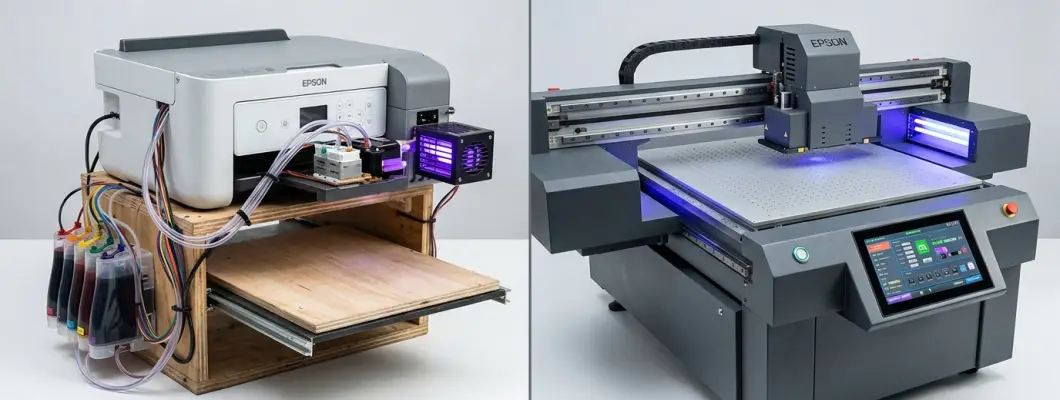
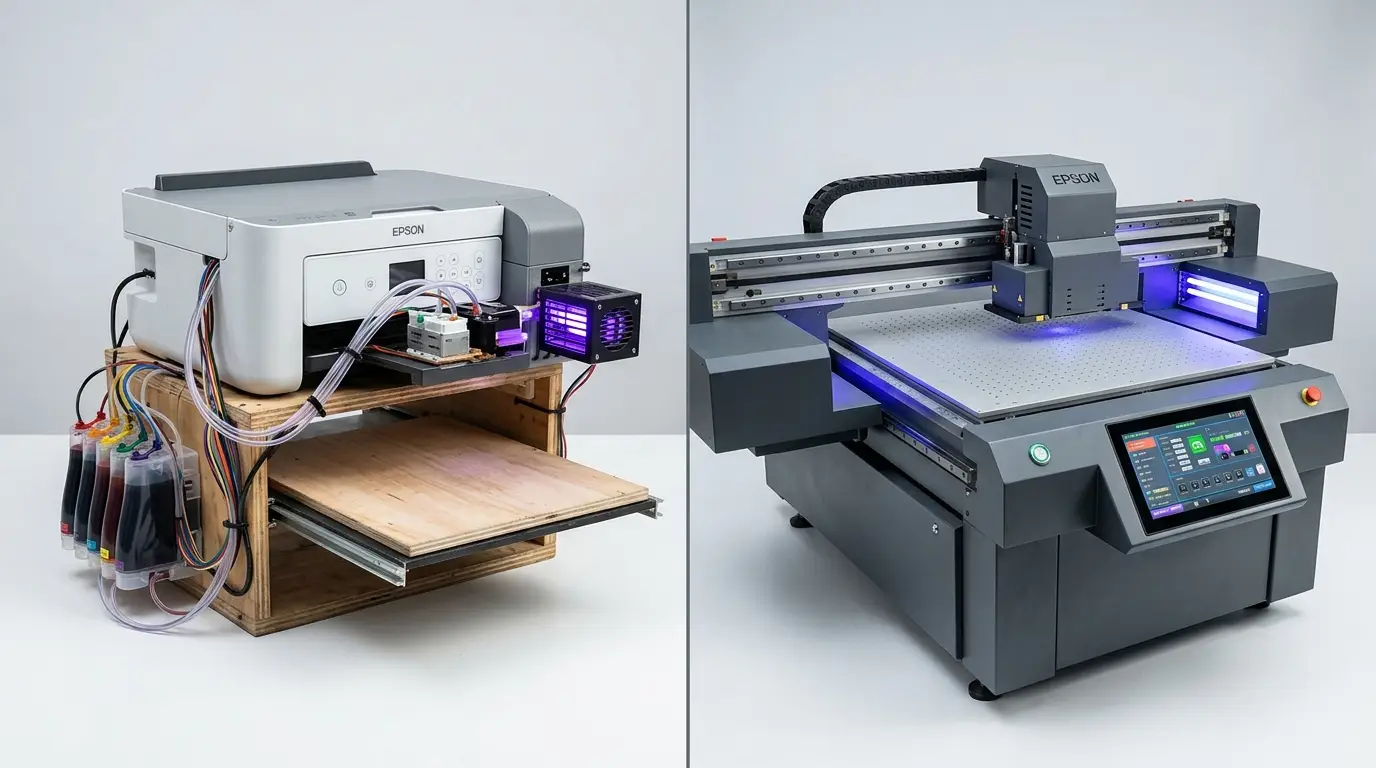
This gap is what printing technicians refer to as the 'Conversion Price Trap.' A converted machine is not simply a cheaper version of a commercial flatbed; it is a fundamentally different mechanical beast. A converted printer is a consumer photo paper printer (often an Epson L805, L1800, R1390, or XP600) whose sheet-feed mechanism has been removed and mounted over a motorized drawer.
A consumer desktop printer was engineered to push lightweight, flexible paper sheets across small plastic drive rollers using water-soluble dye inks. When you force that consumer chassis to push rigid, heavy 5-pound acrylic blocks beneath corrosive, photo-chemically active UV ink without industrial fluidics or thermal management, the laws of physics and chemical compatibility take over. What looked like a $2,000 savings on Day 1 turns into a cash drain by Day 90.
2. The Engineering Reality: 5 Critical Differences Under the Hood
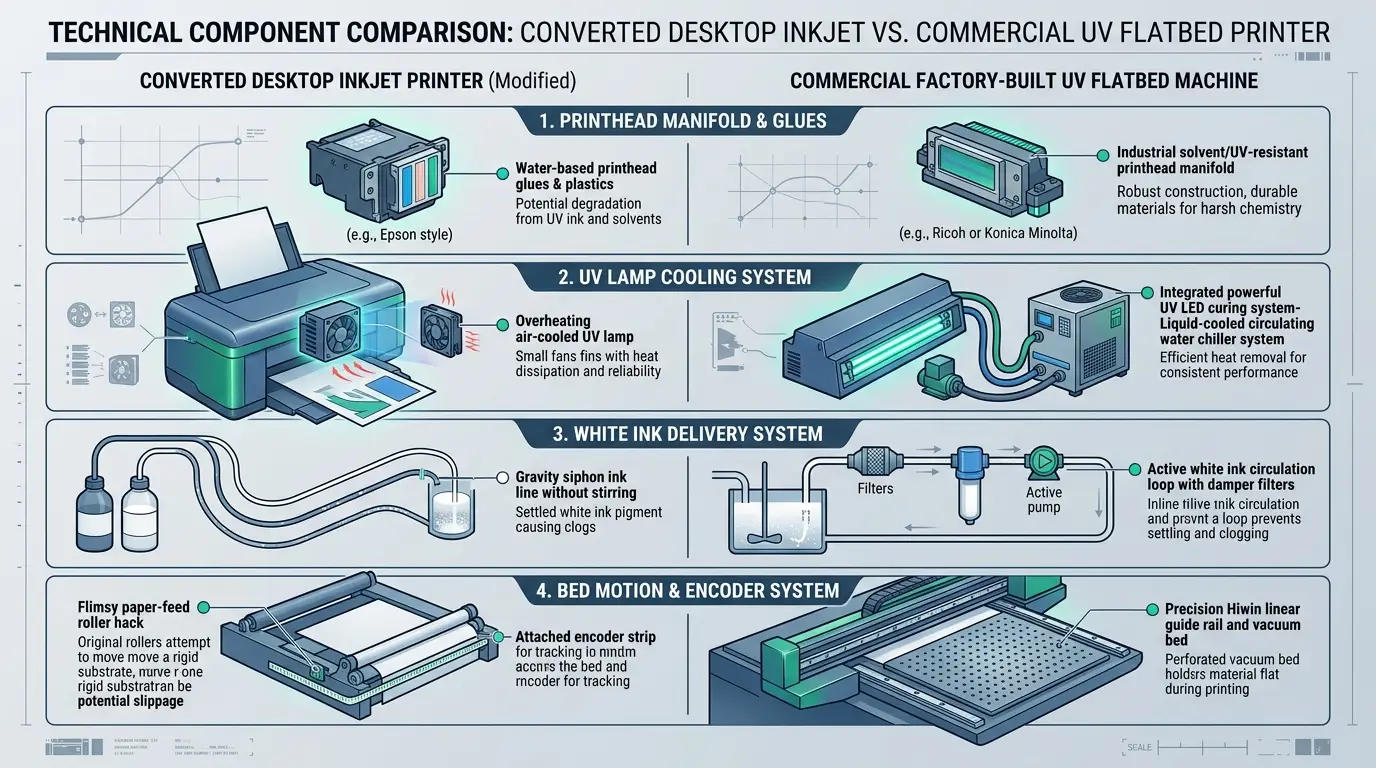
To understand why converted printers fail under commercial workloads, we must examine the five critical mechanical and chemical subsystems where desktop conversions cut corners:
Printhead Manifold & Internal Seal Degradation
Standard desktop photo printheads (like the Epson L805 or L1800) use internal adhesives and plastic manifolds formulated exclusively for mild, water-based inks. UV-curable inks contain aggressive reactive acrylate monomers and photoinitiators. Within 60 to 90 days, these chemicals dissolve the internal manifold glues, causing internal cross-channel delamination (e.g., black ink bleeding uncontrollably into white nozzles) and micro-circuit shorting. Purpose-built commercial machines use industrial printheads (such as Epson XP600/F1080 or i3200-U1) with chemically inert, solvent-welded manifolds designed specifically for corrosive inks.
Curing System: Overheating Air Fans vs. Water Chiller Cooling
UV ink requires intense 395nm ultraviolet light to achieve complete molecular cross-linking (polymerization). Converted printers mount cheap, air-cooled 30W to 50W LED lamp blocks onto the carriage. Because airflow inside a print carriage is turbulent and restricted, the LED chips quickly reach 70°C–80°C, causing rapid optical degradation. As light output drops, prints come out sticky, under-cured, and prone to flaking off. Factory-built machines integrate closed-loop liquid cooling systems (circulating chilled coolant directly through copper heatsinks behind 100W–200W UV LEDs), maintaining a constant 25°C for crisp, instant curing on every pass.
White Ink Fluidics: Static Gravity Siphon vs. Active Recirculation
White UV ink contains dense titanium dioxide (TiO2) particles to achieve opacity on dark substrates. In converted printers, white ink rests in clear silicone tubes. Over a single weekend of downtime, the heavy titanium particles settle to the bottom like wet concrete, forming thick clogs in the dampers and starving the microscopic piezo nozzles. Factory-built machines feature motorized peristaltic circulation loops that pump white ink continuously between the sub-tank, dampers, and main reservoir 24 hours a day, paired with magnetic bottle stirrers.
Chassis Stability: Wood/Plastic Drawer Hacks vs. Hiwin Linear Rails
Printing razor-sharp 2-point typography or photorealistic portraits requires sub-micron carriage stability. Converted printers hack a desktop carriage onto a custom drawer guided by basic aluminum extrusions or furniture drawer slides. As the heavy flatbed steps forward, microscopic vibrations cause bidirectional banding and color ghosting. Commercial factory machines are built on cast-iron or heavy tubular steel frames with genuine Hiwin linear guide rails, dual ball screws, and integrated vacuum suction beds that keep lightweight acrylic sheets and films 100% flat.
Mainboard Architecture & Firmware Crashes
Converted machines run on hacked desktop firmware that constantly expects paper sheets. When the mechanical drawer moves, optical paper-end sensors and page-feed encoders often trip, generating fatal 'Paper Jam' or 'Out of Paper' error codes halfway through a 20-minute print run, ruining expensive customer blanks. Factory machines utilize industrial motion control boards (Hoson, BYHX, or Senyang) with native RIP software integration, custom raster processors, and electronic safety collision sensors.
3. The 2-Year Total Cost of Ownership (TCO) Financial Breakdown
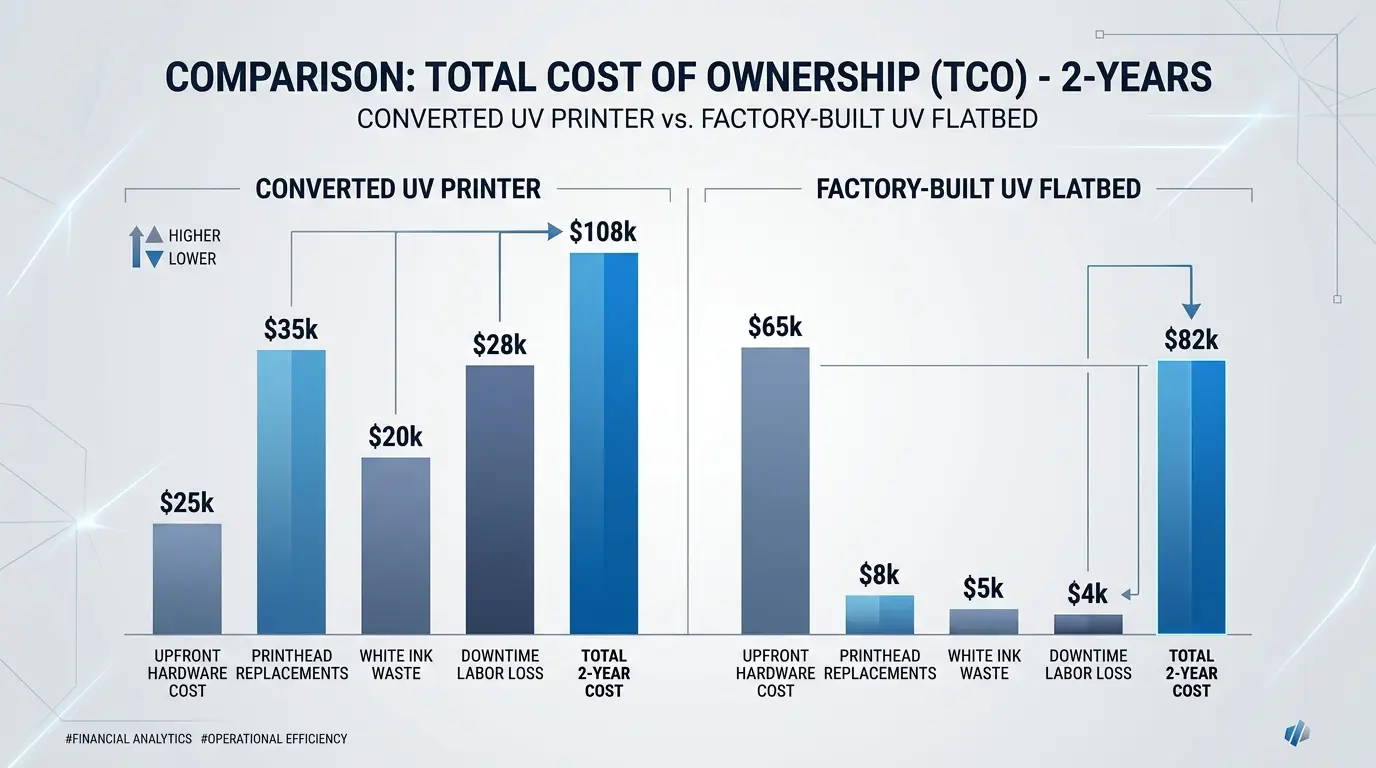
Let us look at the real financial balance sheet. Below is an empirical Total Cost of Ownership model comparing an entry-level converted A3 UV printer (such as an L1800 retrofit) against a commercial factory-built A3 flatbed printer (such as the GNFEI F35V3) over 24 months of moderate small business production (averaging 25 customized prints per day, 20 working days per month):
| Expense Category | Converted Desktop UV (e.g. L1800 Mod) | Factory-Built UV Flatbed (e.g. F35V3) | Financial Difference & Reason |
|---|---|---|---|
| Initial Purchase Price | $2,200 | $4,200 | Converted saves $2,000 upfront at checkout. |
| Printhead Replacements (24 Mos) | $1,800 (4 heads @ $450) | $450 (1 head @ $450) | UV monomers delaminate desktop heads every 4–6 months. Industrial heads last 18–24 months. |
| White Ink Purge & Cleaning Waste | $600 (Daily heavy cleanings) | $150 (Automated circulation) | No circulation requires 3–5 syringe purges daily to unblock settled pigment. |
| Scrap Blanks & Misprinted Substrates | $850 (~5% error & jam rate) | $150 (<1% failure rate) | Paper-sensor errors and stepper motor slippage ruin expensive tumblers and acrylic. |
| Troubleshooting Downtime Labor | $1,500+ (50 hrs @ $30/hr) | $200 (Routine maintenance) | Hours spent unclogging dampers, resetting firmware, and recalibrating stepping motors. |
| TOTAL 2-YEAR COST OF OWNERSHIP | $6,950+ | $5,150 | Factory machine saves $1,800+ net cash! |
4. Throughput, Print Speed & The Hidden Cost of Lost Orders
Beyond the direct replacement parts and ink waste, there is a far more damaging cost that most first-time buyers fail to calculate: production throughput and opportunity cost.
A converted printer based on an Epson L1800 or R1390 has a single printhead with 6 ink channels. To print a colored graphic on a dark substrate, it must perform two separate passes:
- Pass 1 (White Underbase): The printer slowly lays down the white ink layer (approx. 7–8 minutes for a full A3 bed).
- Pass 2 (Color Artwork): The tray rolls back, re-registers, and prints CMYK colors (another 5–7 minutes).
- Total Print Time: 12 to 15 minutes per A3 sheet.
In contrast, a commercial factory-built printer equipped with dual staggered industrial heads (such as the GNFEI F35V3) operates with independent channels: Head 1 prints White while Head 2 prints CMYK and Varnish simultaneously in a single bi-directional sweep:
- Simultaneous Single-Pass Printing: White + Color + Gloss Varnish in 3 to 5 minutes per A3 bed.
- Daily Throughput: 40 to 60 beds per 8-hour shift, compared to barely 15 to 20 beds on a converted machine.
15 Minutes per A3
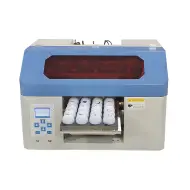
Maximum daily capacity of 16 to 20 items. If a corporate customer orders 100 promotional tumblers or acrylic keychains for a weekend trade show, a converted printer takes nearly 4 full days of continuous operation. Any nozzle clog mid-way forces a complete restart.
4 Minutes per A4
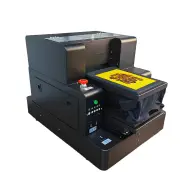
Single pass white + color + varnish embossing. Ideal for compact gift shops, phone case studios, and tumbler customizers needing 30 to 45 finished products daily with automated infrared height anti-collision protection.
3.5 Minutes per A3+
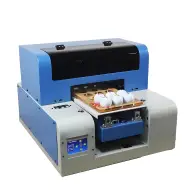
High-volume commercial workhorse. Produces 80 to 120 items per day. Easily fulfills rush orders of 100 units in a single afternoon, allowing your business to charge premium rush fees and scale client accounts reliably.
5. Decision Matrix: When Does a Converted Printer Make Sense?
To maintain absolute objectivity: converted UV printers are not inherently evil. They exist because an active community of DIY hobbyists and makers love hacking desktop hardware. However, you must ask yourself one fundamental question: Are you buying a hobby to tinker with, or a machine to generate income?
The 4-Question Commercial Reality Test
- Do you have paying clients waiting for deliveries? If yes, you cannot afford a machine that goes offline for 4 days while you wait for a replacement printhead from overseas.
- Do you know how to flush printheads with chemical syringes and rewire stepper drivers? If no, a converted printer with zero factory support will become an expensive decorative brick in your workshop.
- Do you plan to print cylindrical drinkware (tumblers/bottles)? Converted machines lack motorized drop beds (max 3cm clearance) and cannot house rigid rotary attachments without cutting the chassis.
- Can you afford to throw away 5% to 10% of your blanks to sensor errors? Blank stainless steel tumblers cost $4 to $8 each; ruining 3 tumblers a day destroys your profit margins completely.
6. Recommended Factory-Built Solutions for Professional Production
If your objective is to launch a profitable, stress-free personalization business with guaranteed factory warranty support, here are the two industry-standard commercial platforms manufactured by GNFEI:
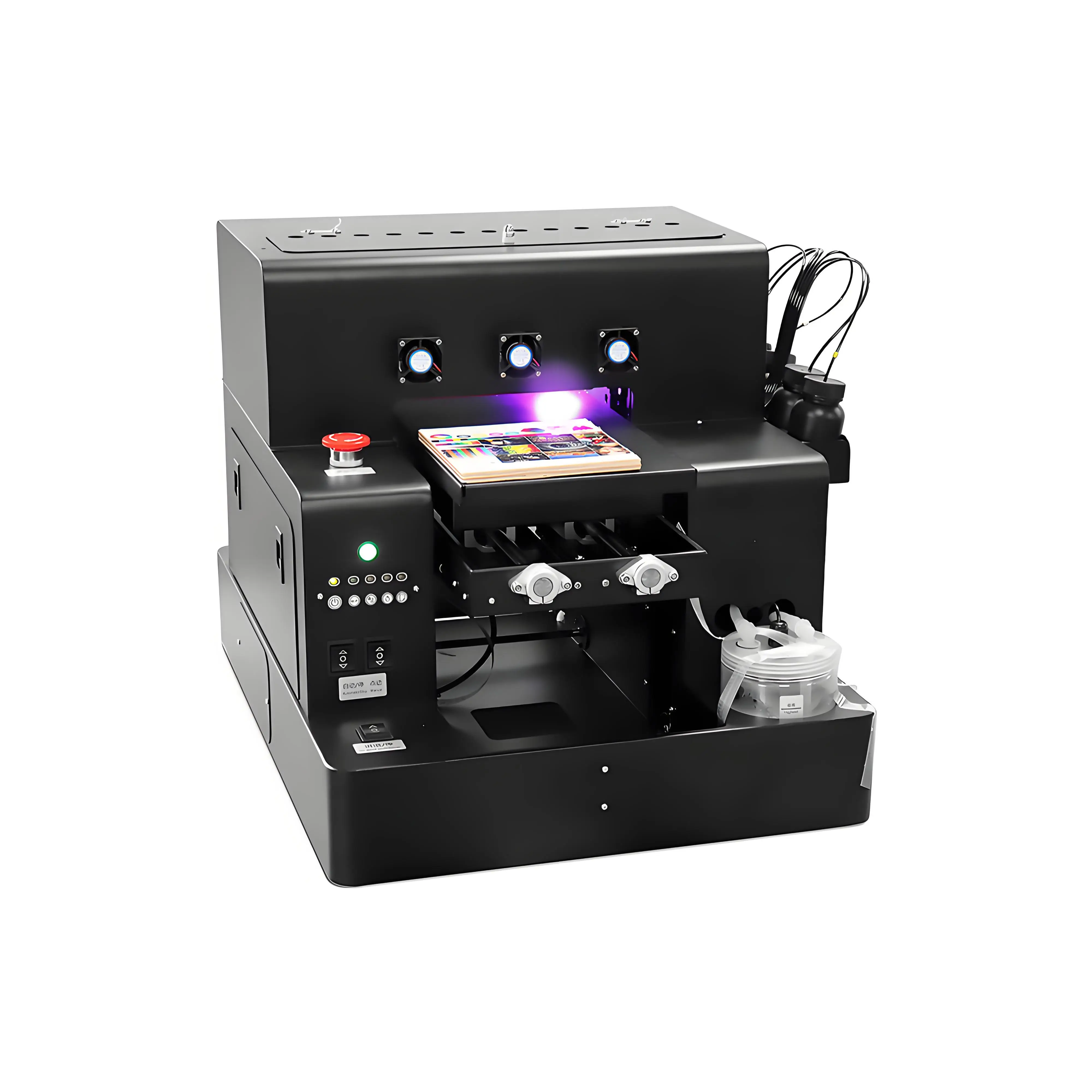
Spot A4 LED UV Printer Cylinder Printing Machine
- Purpose-built steel chassis with closed-loop liquid water cooling system
- Simultaneous CMYK + White + Gloss Varnish for embossed tactile textures
- Dedicated rotary fixture included for 360-degree seamless printing on tumblers and bottles
- Active peristaltic white ink circulation eliminates titanium dioxide sedimentation
- Infrared auto-height sensing prevents accidental printhead crashes on uneven surfaces
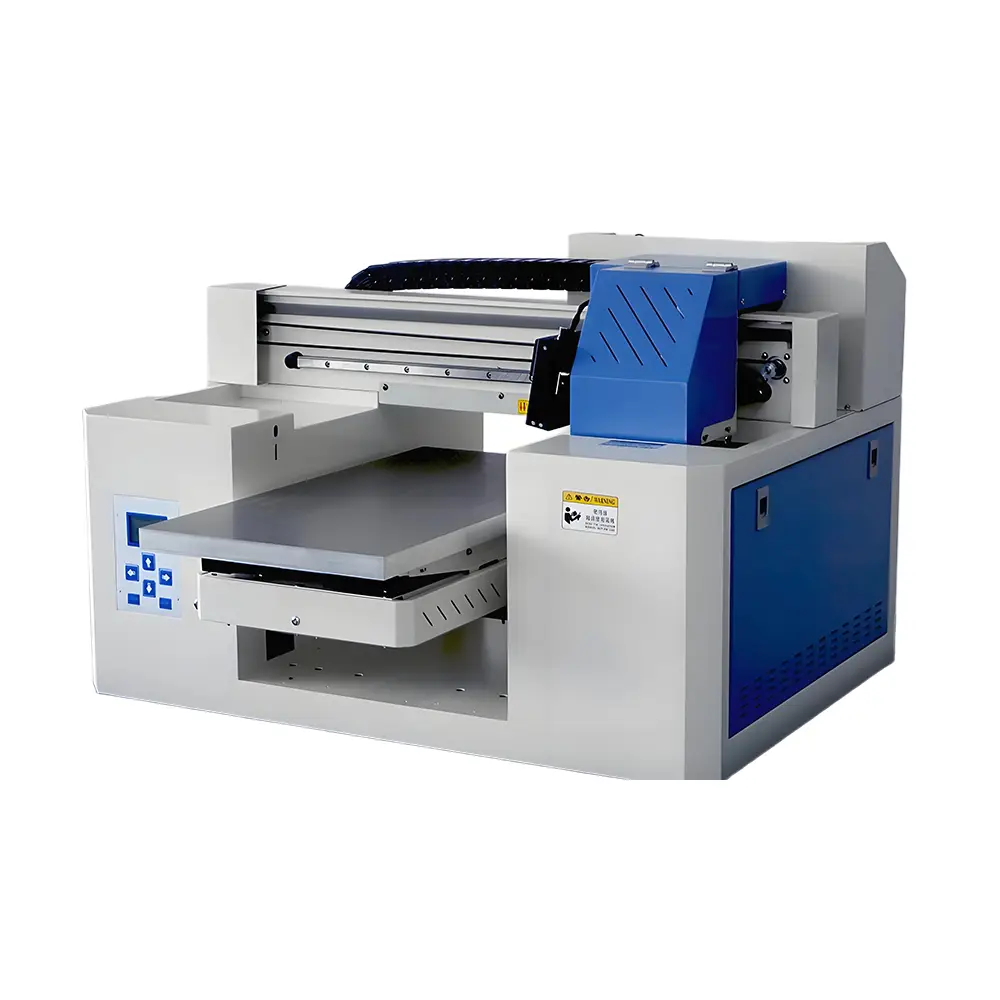
A3 Dual Head UV Printer (Rotary & UV DTF Support)
- Dual Epson commercial printheads: 3x speed over converted machines with 1440 DPI resolution
- Heavy-duty Hiwin linear guide rail with dual ball screws for zero-vibration precision
- Integrated vacuum suction bed holds lightweight acrylic, film, and leather perfectly flat
- Motorized 15 cm (6 inch) Z-axis drop bed easily accommodates thick gift boxes and drinkware
- Multi-mode versatility: direct rigid flatbed, 360° cylindrical rotary, and UV DTF crystal transfer stickers
Frequently Asked Questions (FAQ)
Q1. Why are converted Epson UV printers so much cheaper upfront?
Converted UV printers start as mass-market desktop inkjet photo printers (such as the Epson L805, L1800, or R1390) costing only $250 to $600 at retail. Modders remove the paper feed rollers, mount the print engine onto a custom stepper-driven wooden or aluminum flatbed drawer, and splice an inexpensive air-cooled UV LED lamp into the electrical lines. Because they repurpose cheap consumer hardware without investing in industrial chassis, vacuum beds, or water chillers, they can sell for $1,500 to $2,500.
Q2. How long does a printhead last on a converted Epson UV printer versus a factory machine?
On a converted Epson printer, a standard consumer printhead typically survives only 2 to 4 months before developing unrecoverable nozzle clogs, internal delamination, or electrical shorting. In contrast, an industrial printhead (such as an Epson XP600/F1080 or i3200-U1) installed in a factory-built machine with active white ink recirculation and negative pressure damping routinely lasts 12 to 24 months under daily production conditions.
Q3. Why does UV ink ruin standard desktop inkjet printheads so quickly?
Standard desktop printheads (like the Epson L1800 or L805) are designed exclusively for gentle water-based dye and pigment inks. Their internal manifolds, filter screens, and nozzle plate gaskets are held together by adhesives and polymers that dissolve when exposed to the aggressive photo-monomers, reactive oligomers, and solvent carriers found in UV-curable inks. Within weeks, the internal seals soften, causing cross-channel ink leaking and catastrophic electrical failure.
Q4. What is the 2-year Total Cost of Ownership (TCO) difference between converted and factory UV printers?
Over 24 months, a converted UV printer costs approximately $6,900 to $8,500 in total, including initial purchase ($2,200), 4 replacement printheads ($1,800), wasted purge ink ($600), ruined misprint blanks ($800), and over 50 hours of lost labor troubleshooting ($1,500). A factory-built machine costs approximately $5,150 total over 2 years (purchase $4,200 plus minor maintenance), saving over $1,750 while producing 3x the output volume.
Q5. Why is white ink circulation critical on a UV flatbed printer?
White UV ink contains dense titanium dioxide pigment particles that naturally settle at the bottom of bottles, lines, and dampers due to gravity. Converted printers rely on static gravity siphon lines; if left idle for just 24 hours, settled titanium dioxide creates concrete-like sludge that clogs nozzles permanently. Factory-built printers feature active motorized peristaltic circulation loops and bottle stirrers that constantly cycle white ink 24/7, completely eliminating sedimentation clogs.
Q6. What is the problem with air-cooled UV lamps on converted printers?
Converted printers use cheap 30W to 50W air-cooled UV LED lamps. Because airflow is restricted around the print carriage, these lamps overheat quickly, causing thermal degradation of the LED chips and dropping UV light emission intensity. This causes incomplete ink curing, leaving prints sticky, tacky, and prone to peeling. Commercial factory-built printers utilize liquid-cooled closed-loop water chillers that keep 100W to 200W UV LEDs at a stable 25°C, ensuring instant 100% cure depth.
Q7. What causes constant 'Paper Jam' and 'Paper Out' errors on converted UV printers?
Converted printers still run on consumer desktop printer firmware. The mainboard continuously looks for optical paper-feed sensor signals, sheet width switches, and page-end flags. Because a flatbed tray does not move like a thin sheet of paper, the firmware frequently trips into error mode, stopping mid-print and ruining expensive custom blanks.
Q8. How much faster is a factory-built UV printer compared to a converted machine?
A converted L1800 or R1390 takes 12 to 15 minutes to print a single A3 sheet with a white underbase and color layer because it must make multiple slow unidirectional passes. A factory-built machine equipped with dual printheads (such as the GNFEI F35V3) prints white, color, and clear varnish simultaneously in a single bi-directional pass, finishing an A3 bed in just 3 to 5 minutes—achieving 3x to 4x higher daily production capacity.
Q9. Can a converted UV printer handle rotary cylinder and bottle printing?
Very poorly, if at all. Converted desktop printers lack motorized Z-axis lifting clearance, typically maxing out at 3cm to 5cm of height. Mounting a rotary jig requires cutting away structural metal, causing carriage vibrations and skewing registration. Factory-built machines feature motorized drop beds with 15cm to 20cm clearance and dedicated electronic rotary drive ports for seamless 360-degree cylinder printing.
Q10. When does buying a converted UV printer actually make sense?
A converted UV printer only makes sense for an electrical hobbyist, electronics student, or maker who enjoys modifying mechanical hardware, possesses soldering skills, and has zero commercial deadlines. If you are operating a business, selling personalized merchandise, or managing client orders, a factory-built machine delivers reliable daily profits, zero maintenance anxiety, and a dramatically faster payback period.